Live Class Revamp
Develop a streamlined, engaging learning platform that boosts tutor control and student interaction through integrated chat, polling, automated attendance, seamless live class sharing, intuitive scheduling, and limited-time course promotions for new users.
Client
Classplus
My Role
Product Designer
Category
Education | Media Experience | B2B
Platform
Mobile App, Web | Tutor side view, Student side view
Tools Used




About Classplus
Classplus is an edtech platform designed to help educators and coaching institutes manage online classes, including live sessions, course distribution, and student engagement. This analysis evaluates the old design’s live class features against competitors to identify gaps and opportunities for improvement.
The Problem
The current digital learning platform lacks essential features that hinder both tutors and students from having a seamless and engaging educational experience. Tutors struggle with communication, as there is no group chat or polling feature to foster interaction. Additionally, there is no built-in attendance system, making it difficult for tutors to track student participation.
Live class sharing is inefficient, requiring tutors to manually distribute links rather than having an integrated system for easy access. The absence of a time-based representation for scheduling further adds to the confusion. Furthermore, tutors lack control over their student interactions—they cannot block specific students if needed, nor is there a structured way to maintain or visualize their connections. These limitations lead to inefficiencies, disengagement, and a fragmented learning process.
The Goal
To enhance the learning platform by introducing essential features that improve communication, engagement, and administrative control. The solution aims to integrate a group chat and polling system for interactive discussions, an automated attendance tracker for seamless participation monitoring, and an intuitive scheduling system with clear time-based representations. Additionally, tutors should have better control over student interactions, including the ability to block specific students if necessary. By addressing these gaps, the platform will foster a more structured, engaging, and effective learning environment for both tutors and students.
Design Process
In this project, I followed a structured design process to revamp Disney+ Hotstar’s UI and deliver a visually captivating, brand-aligned experience. Here’s how I approached it
1
User Research
2
Competitor Analysis
3
Defining Goals
4
Persona Development
5
Wireframe Creation
6
Designing & prototyping
User Research Report
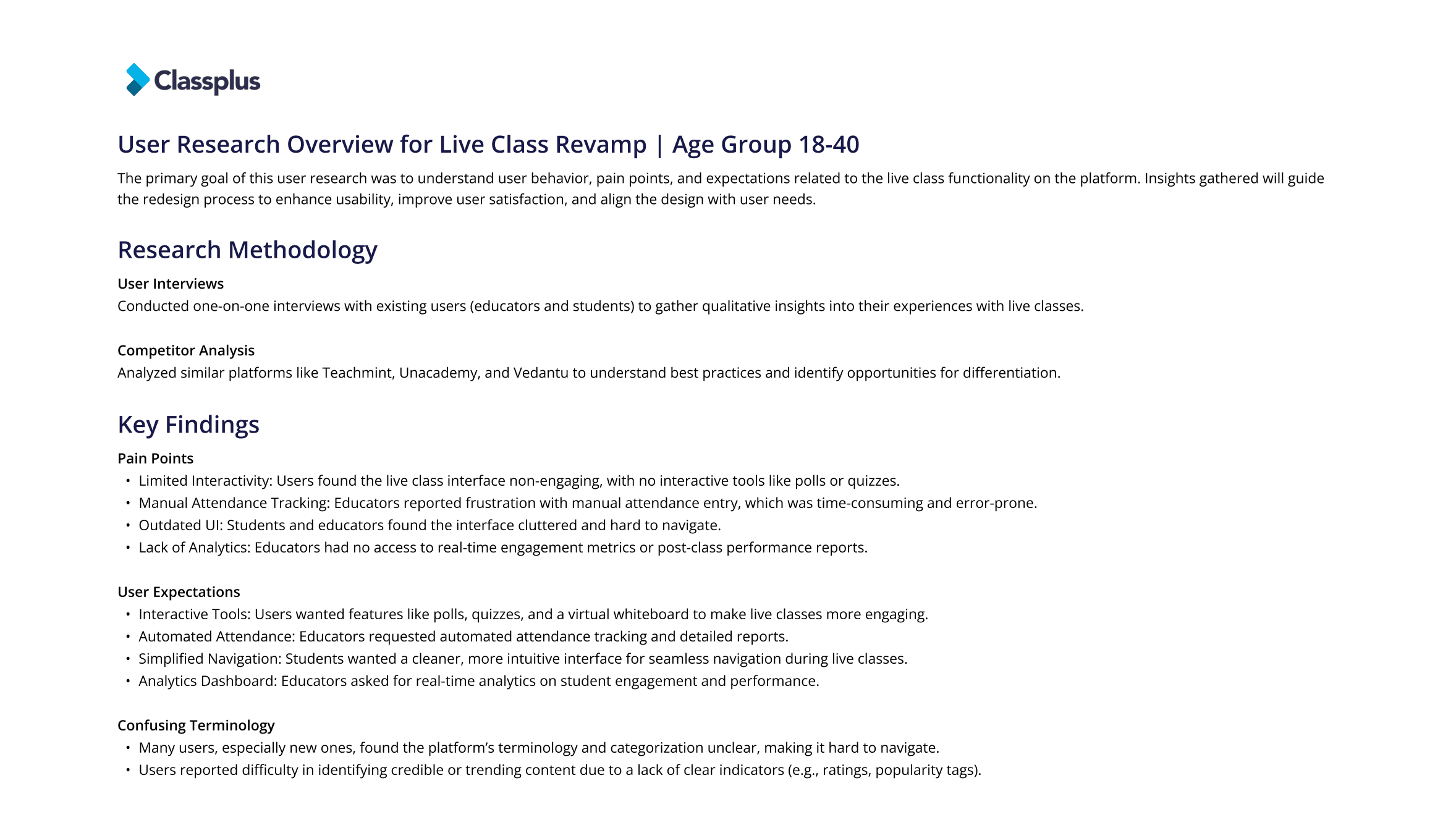
Competitive Analysis for Classplus (Old Design)
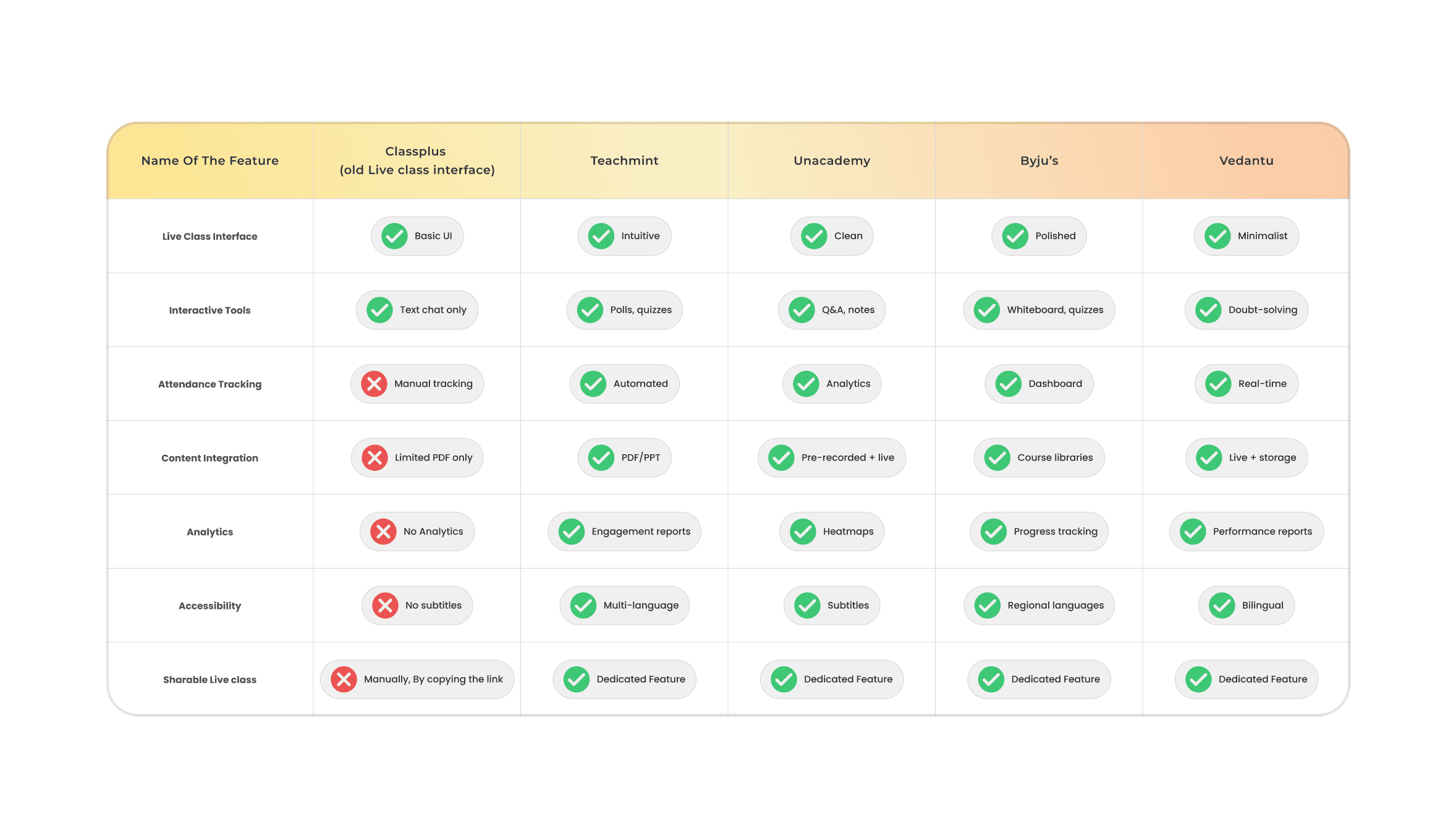
Classplus Lacked Critical Features:
Attendance Tracking: Competitors automated this, while Classplus relied on manual entry
Analytics: No actionable insights compared to competitors’ detailed reports
Accessibility: Missing subtitles and multi-language support
Strengths of Competitors:
Teachmint: All-in-one educator toolkit
Byju’s: Advanced tools like whiteboards and simulations
Vedantu: Real-time doubt-solving and small-group focus
Opportunities for Classplus:
Add automated attendance and engagement analytics
Introduce multi-language support and interactive tools (polls, quizzes).
Modernize UI to match Unacademy’s clean design or Byju’s polished interface.
Sharable live class feature where any students can join the live class for a specific time after that system can pitch course purchase to continue the class.
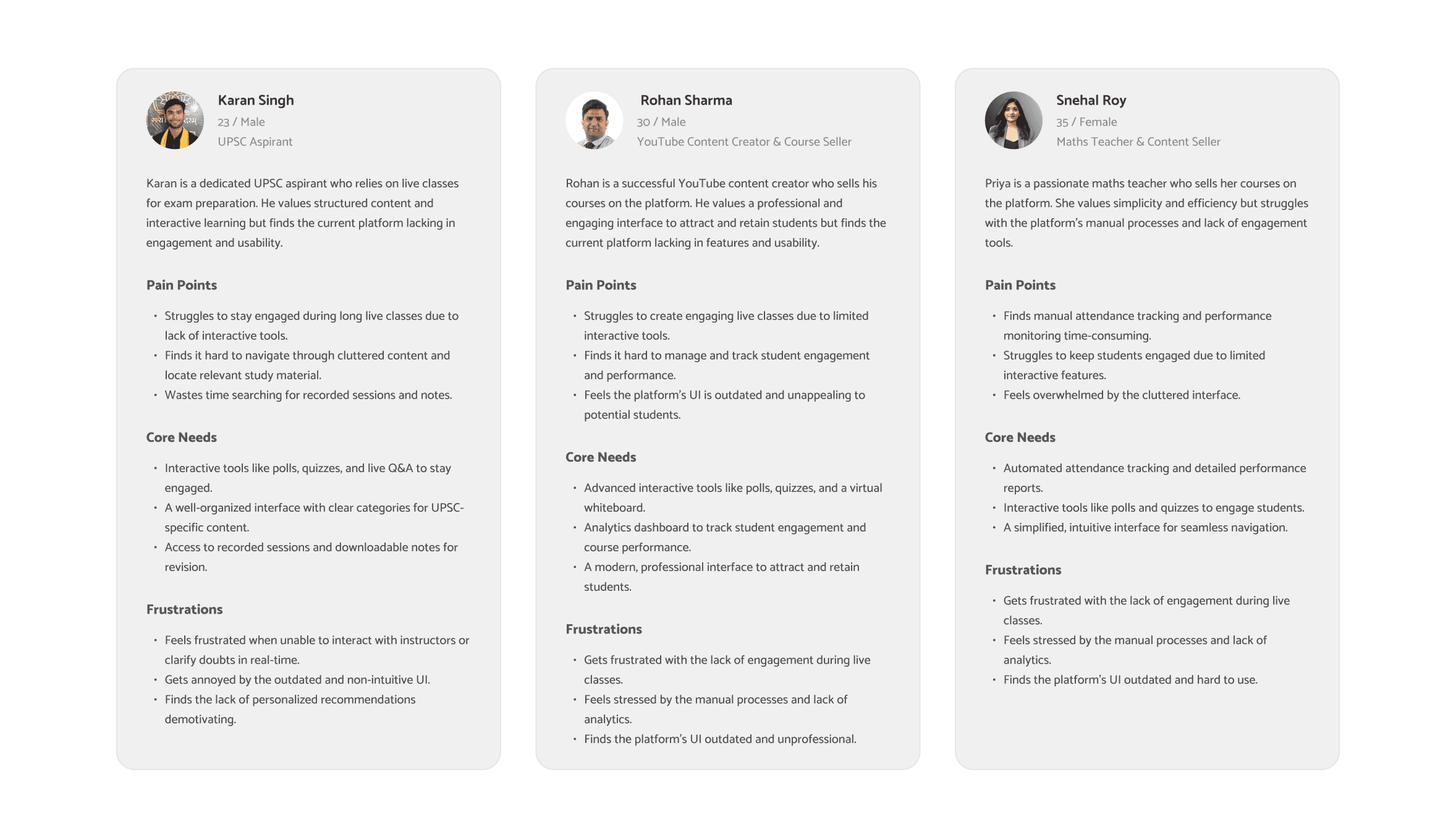
User Persona
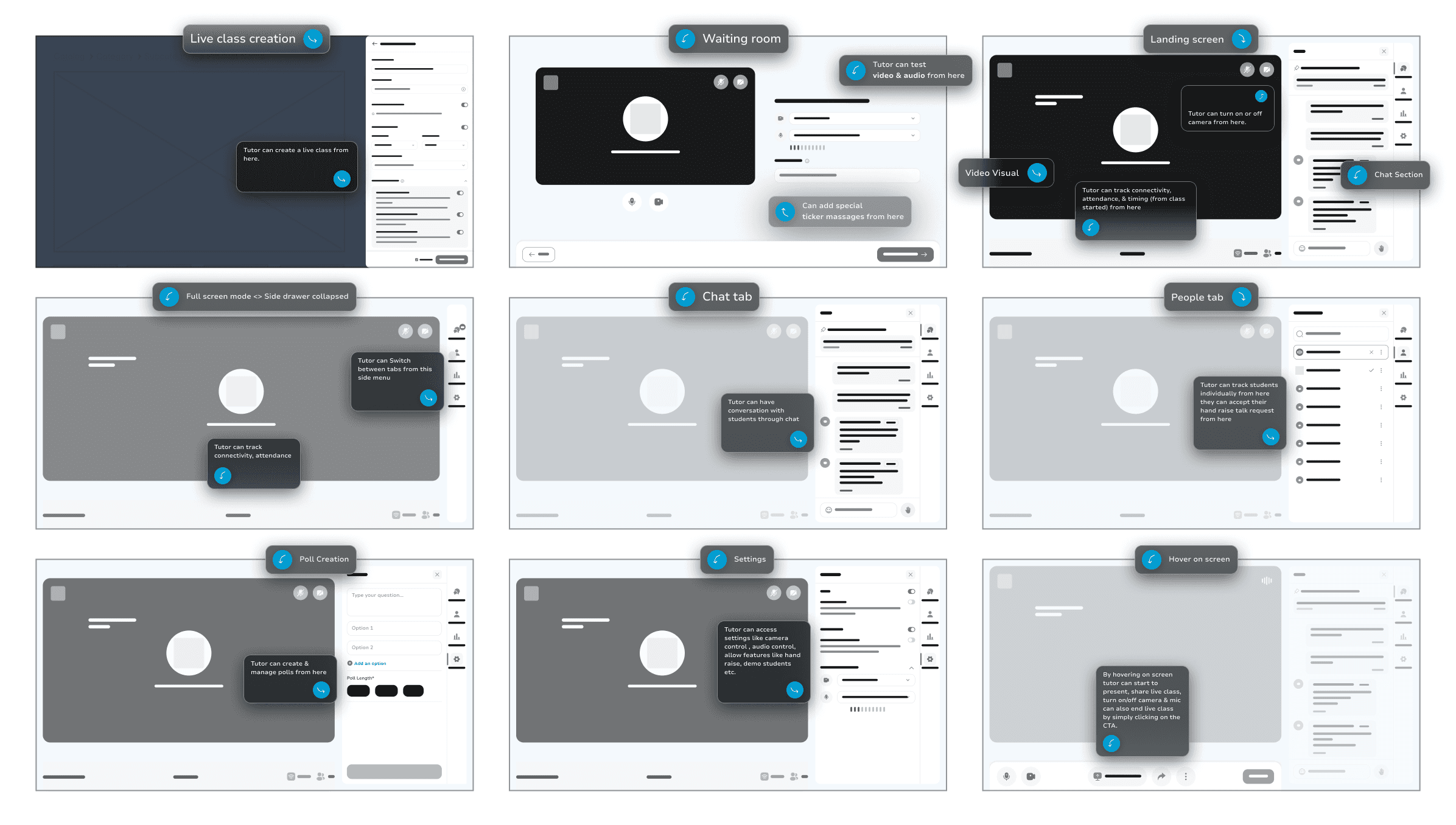
Wire Frames <> Tutor side WEB
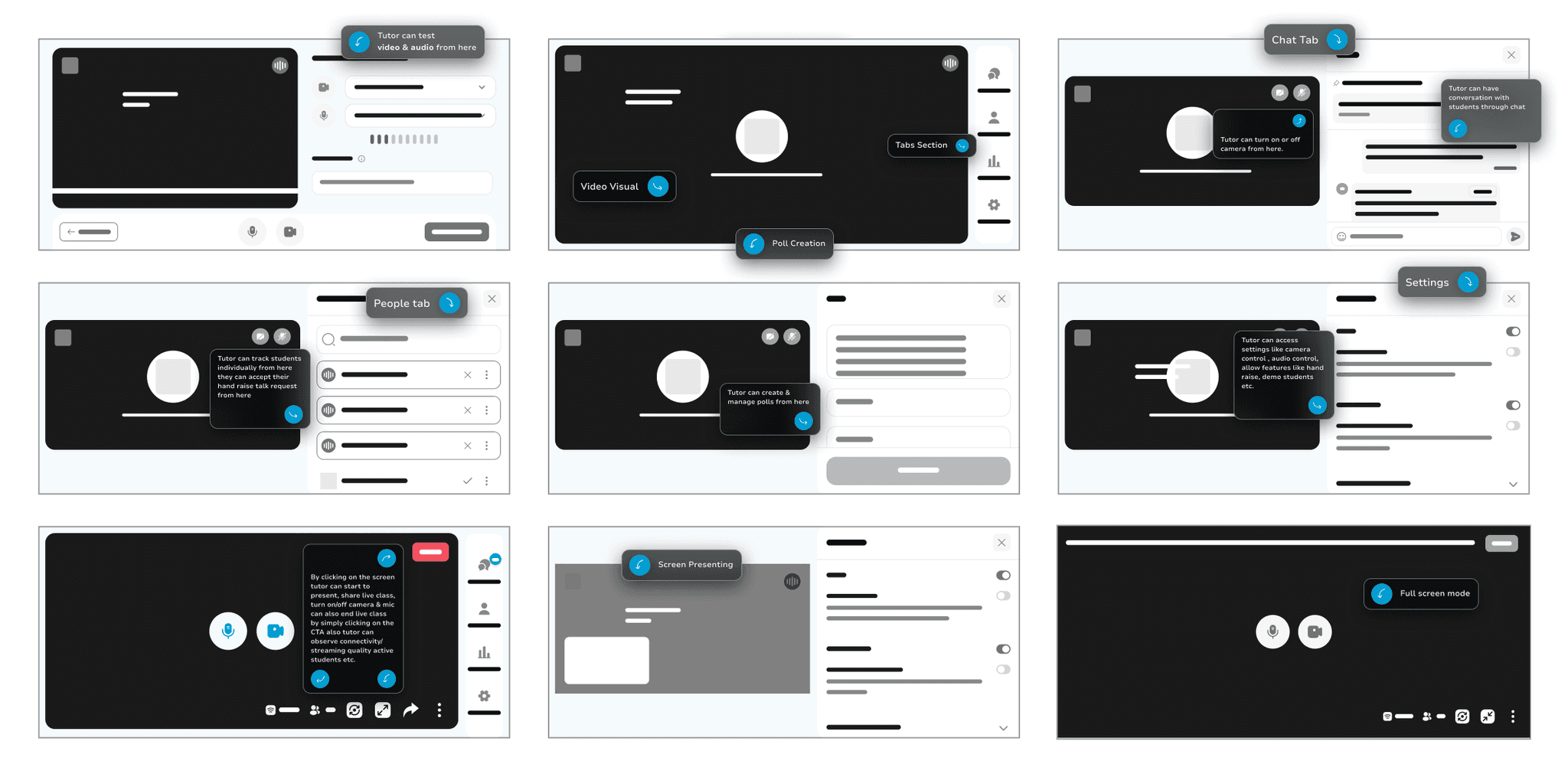
Wire Frames <> Tutor side Phone
Wire Frames <> Student side WEB
Wire Frames <> Tutor side Phone
Design system
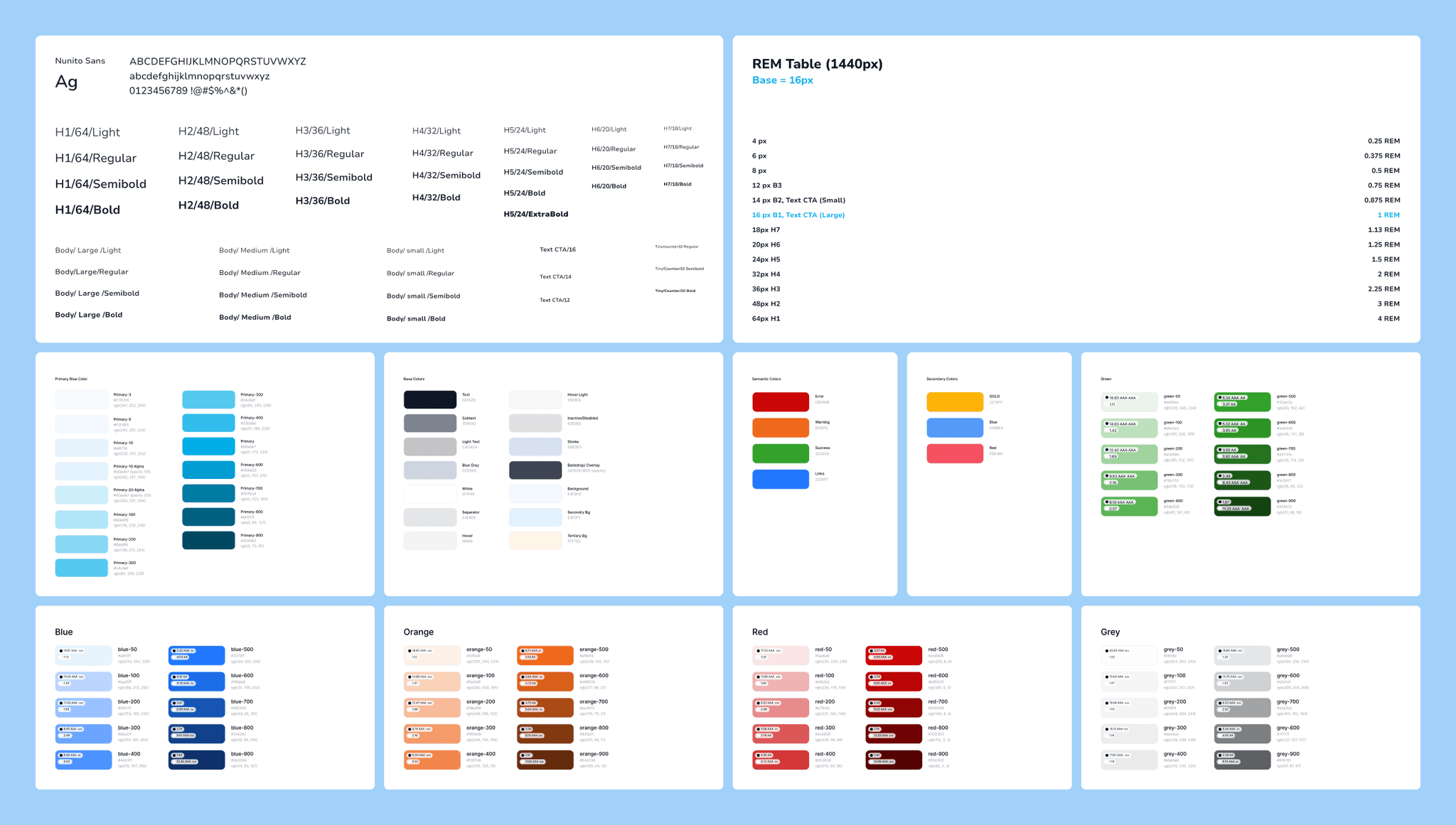
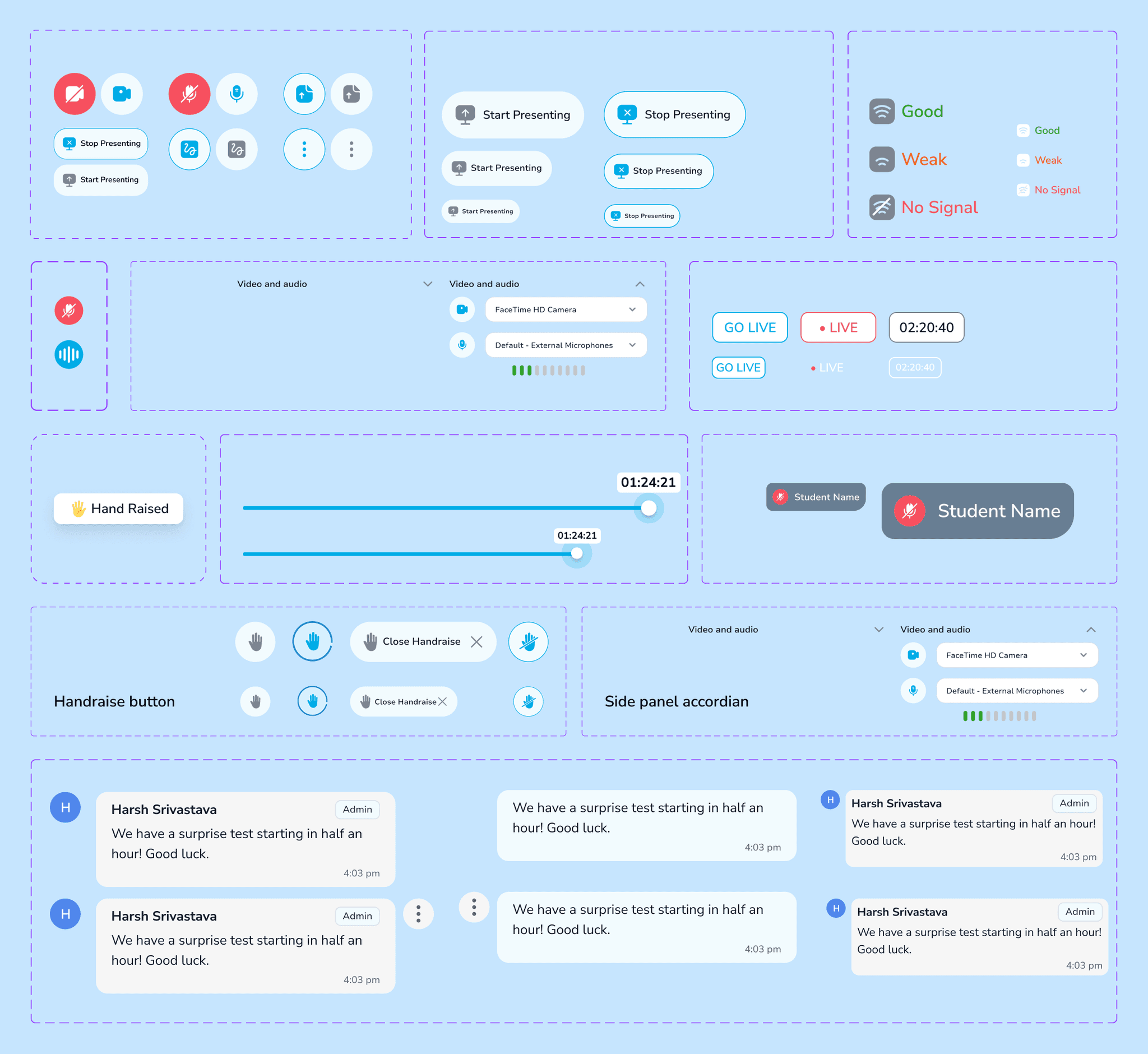
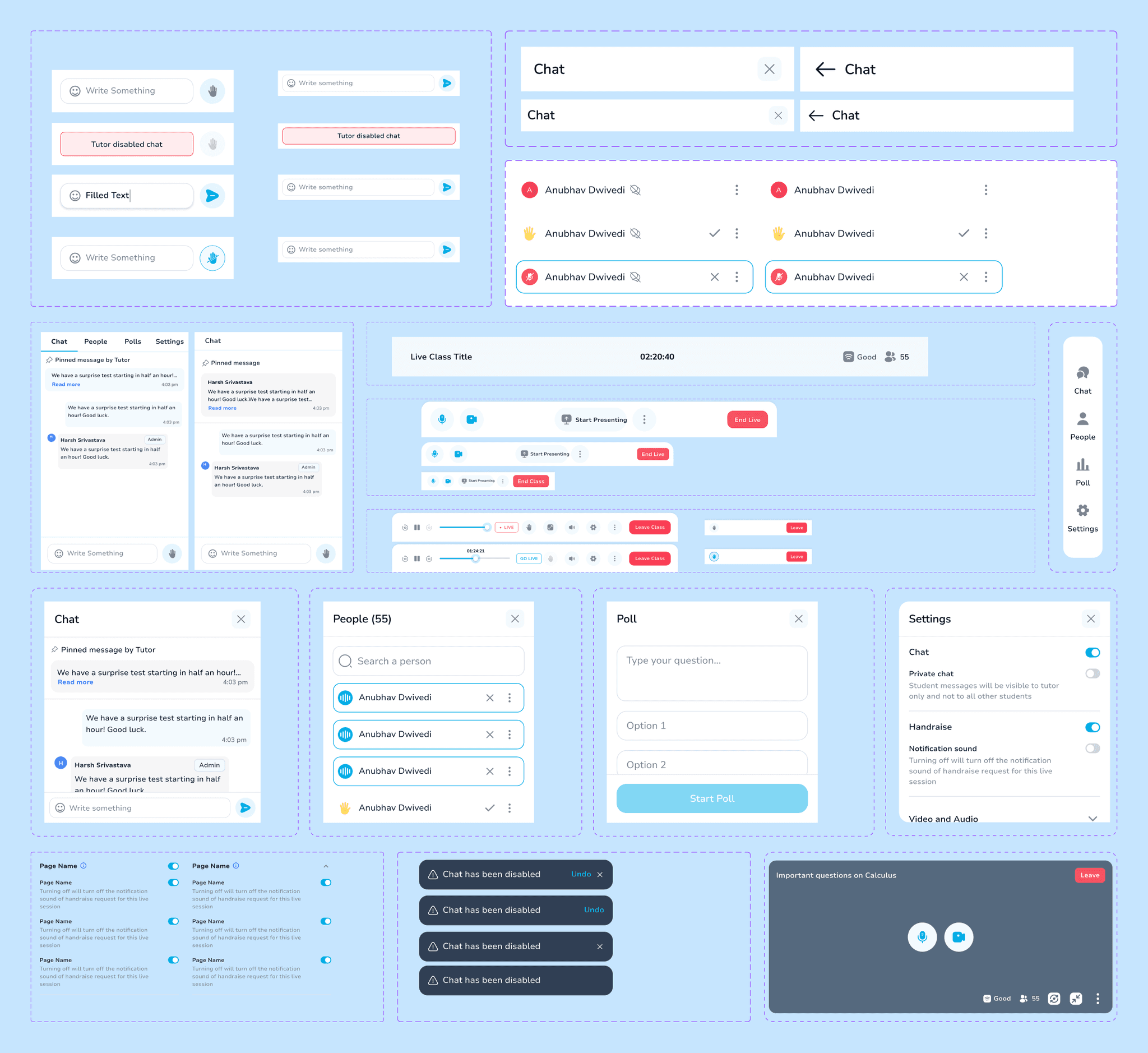
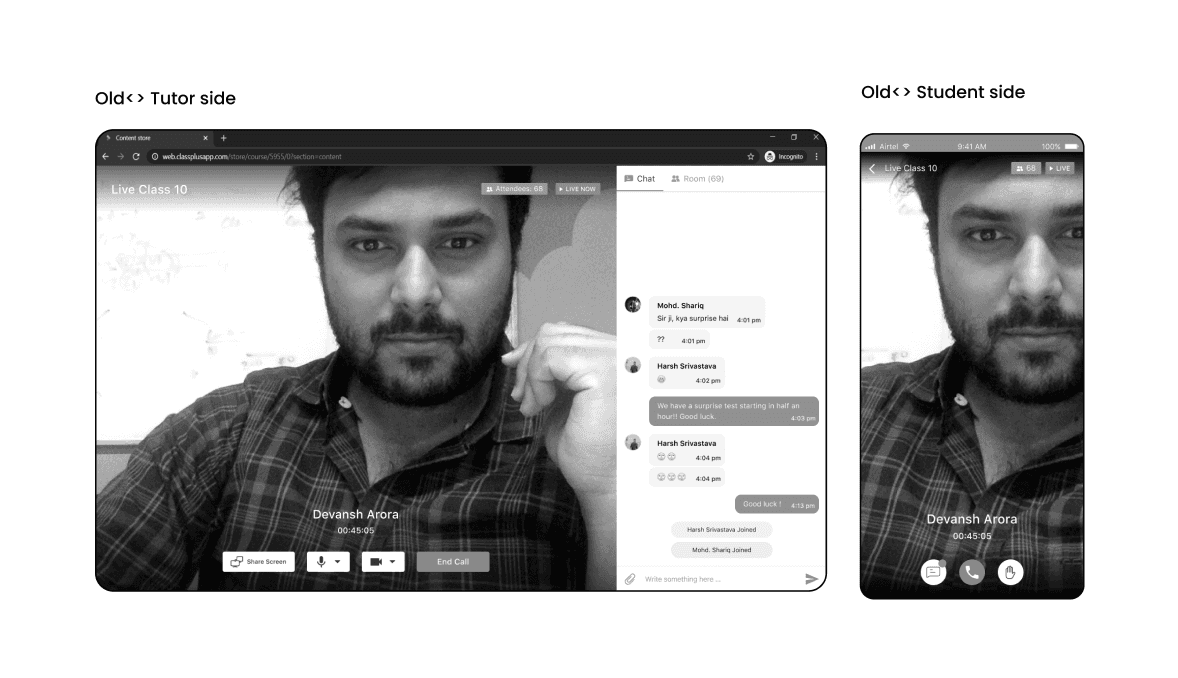
Old Design
Design Solution | Tutor side
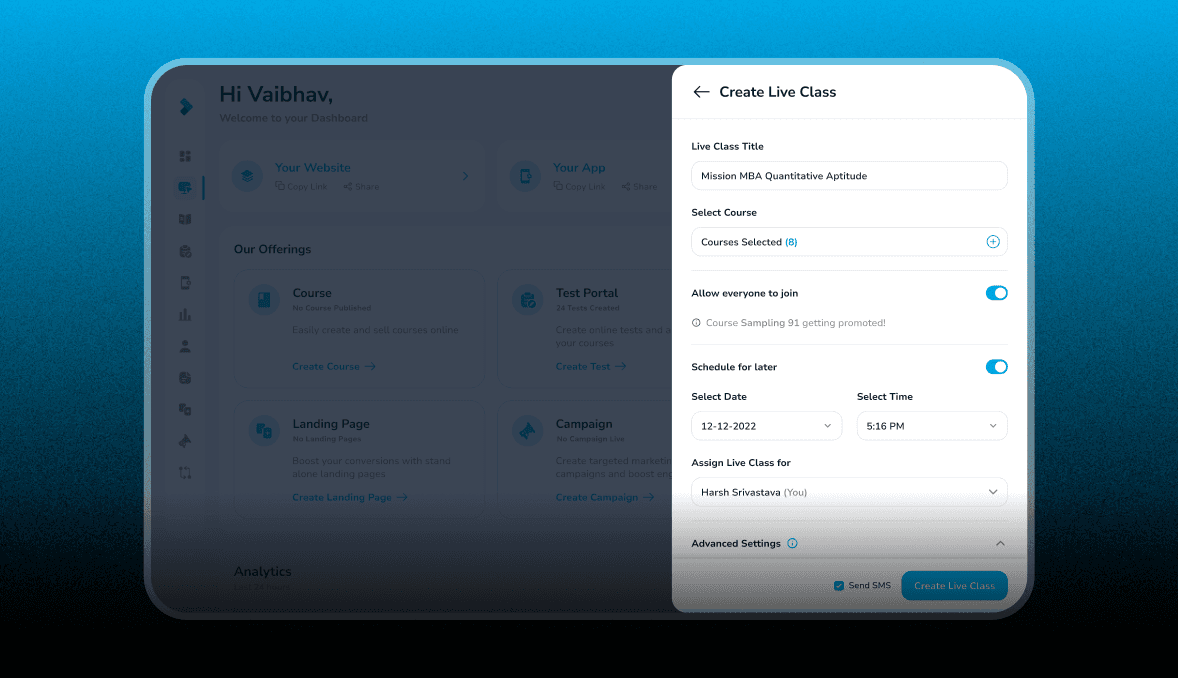
Live Class Creation
Tutors can create live classes to promote their courses or offer free sessions using this interface. They can schedule classes, enable “Allow everyone to join” for broader access, and send reminders to students. This feature helps tutors engage students and expand their audience.
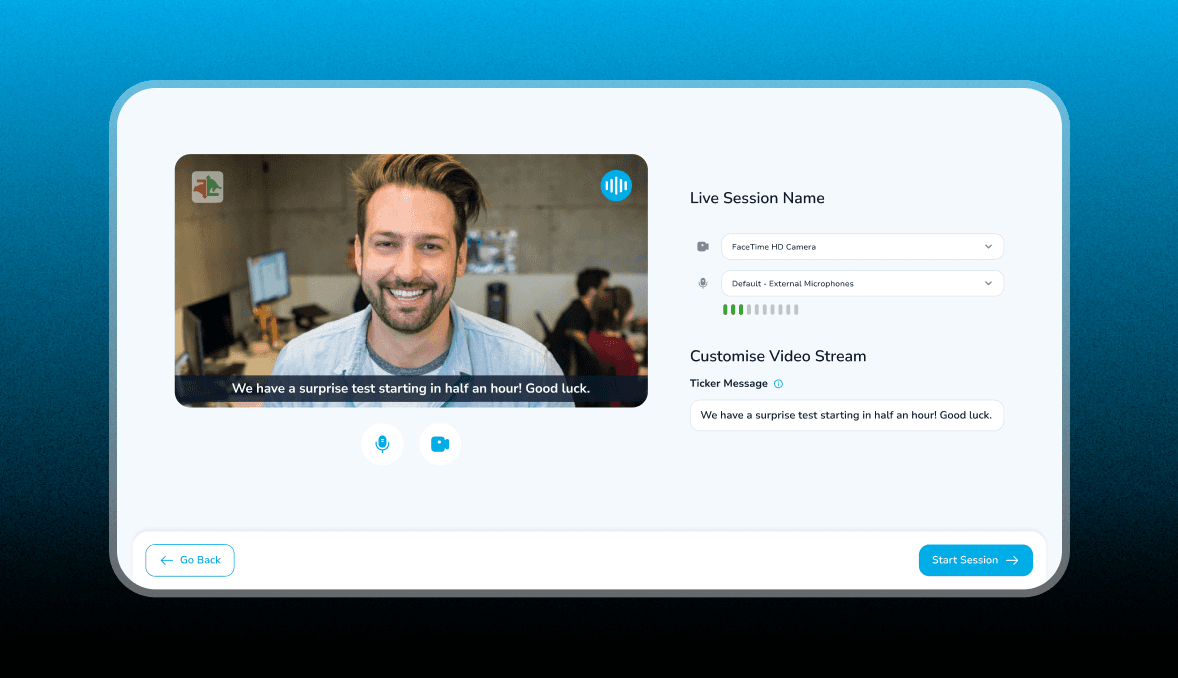
Waiting Room
When tutor clicks on Go Live, we will show a preview screen to setup their video and audio also tutor can add ticker message as well.
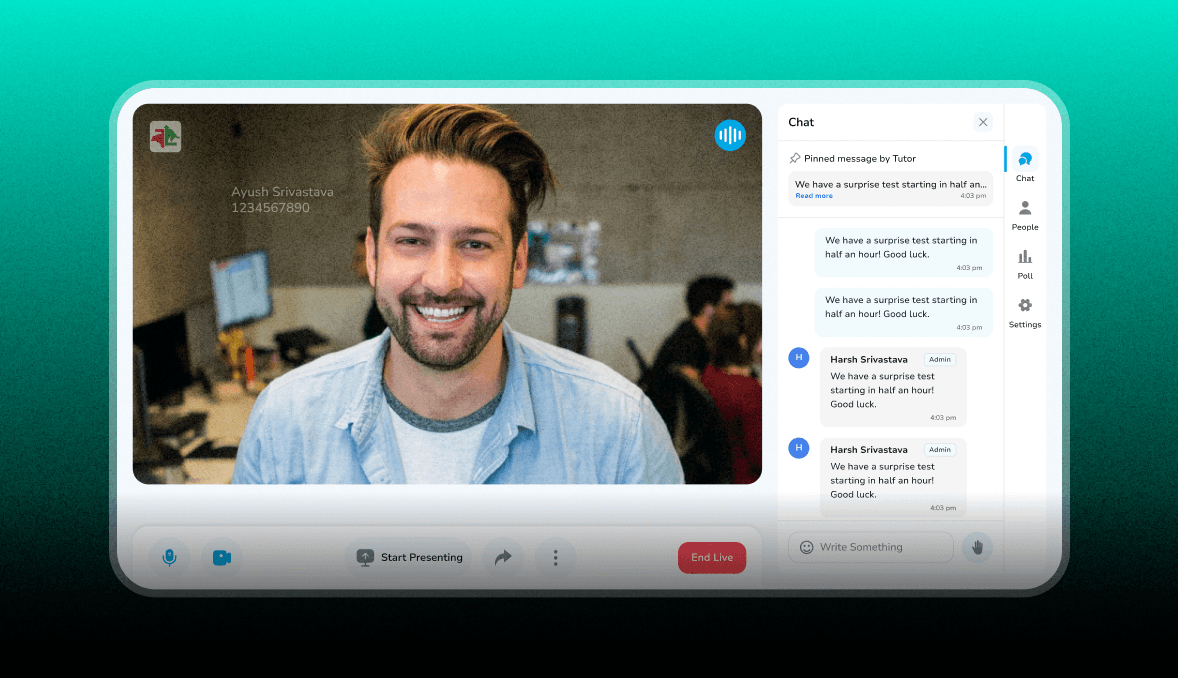
Landing Screen <> Chat interface
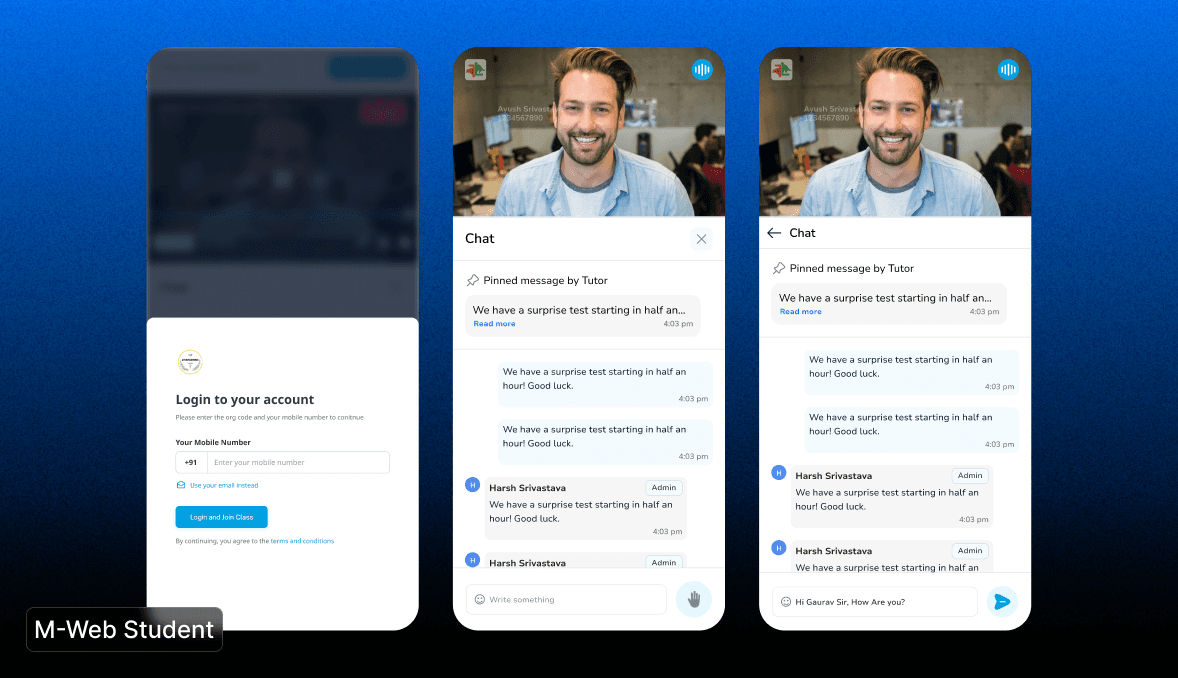
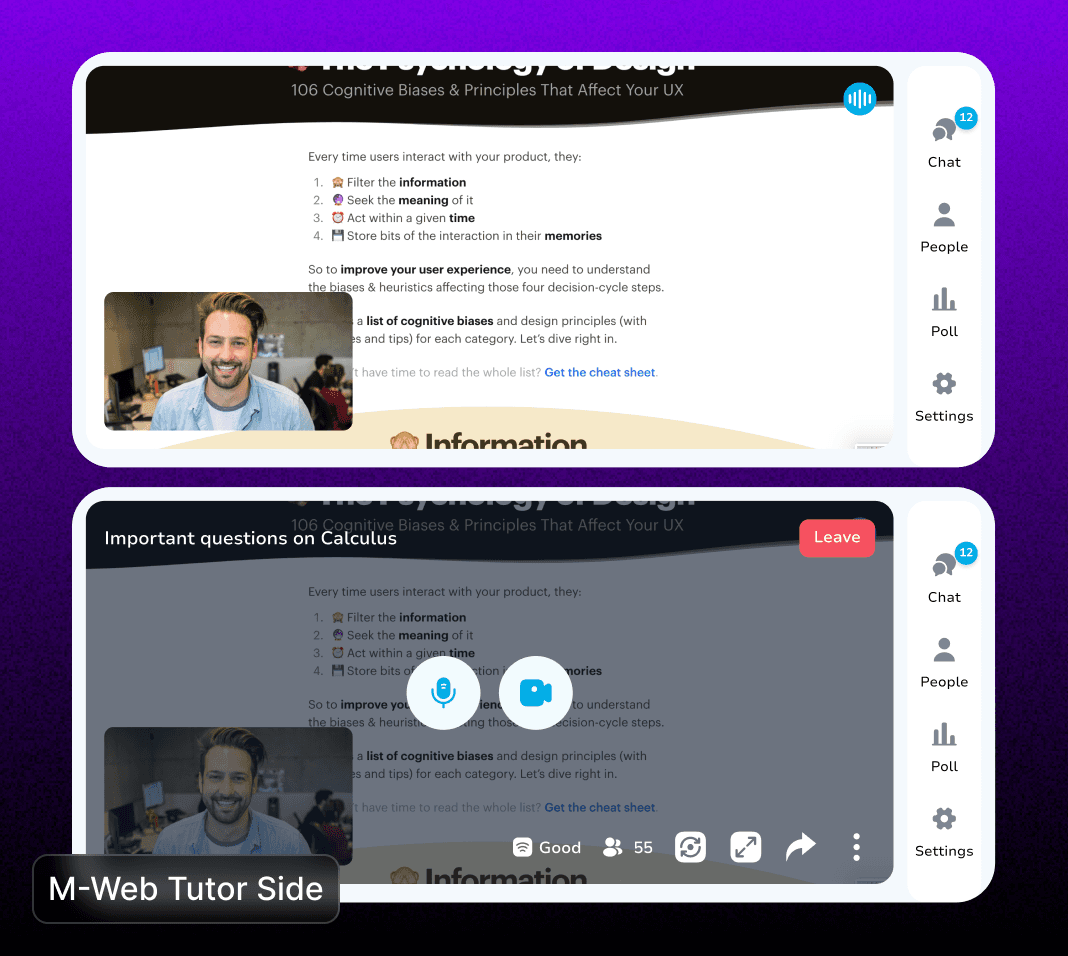
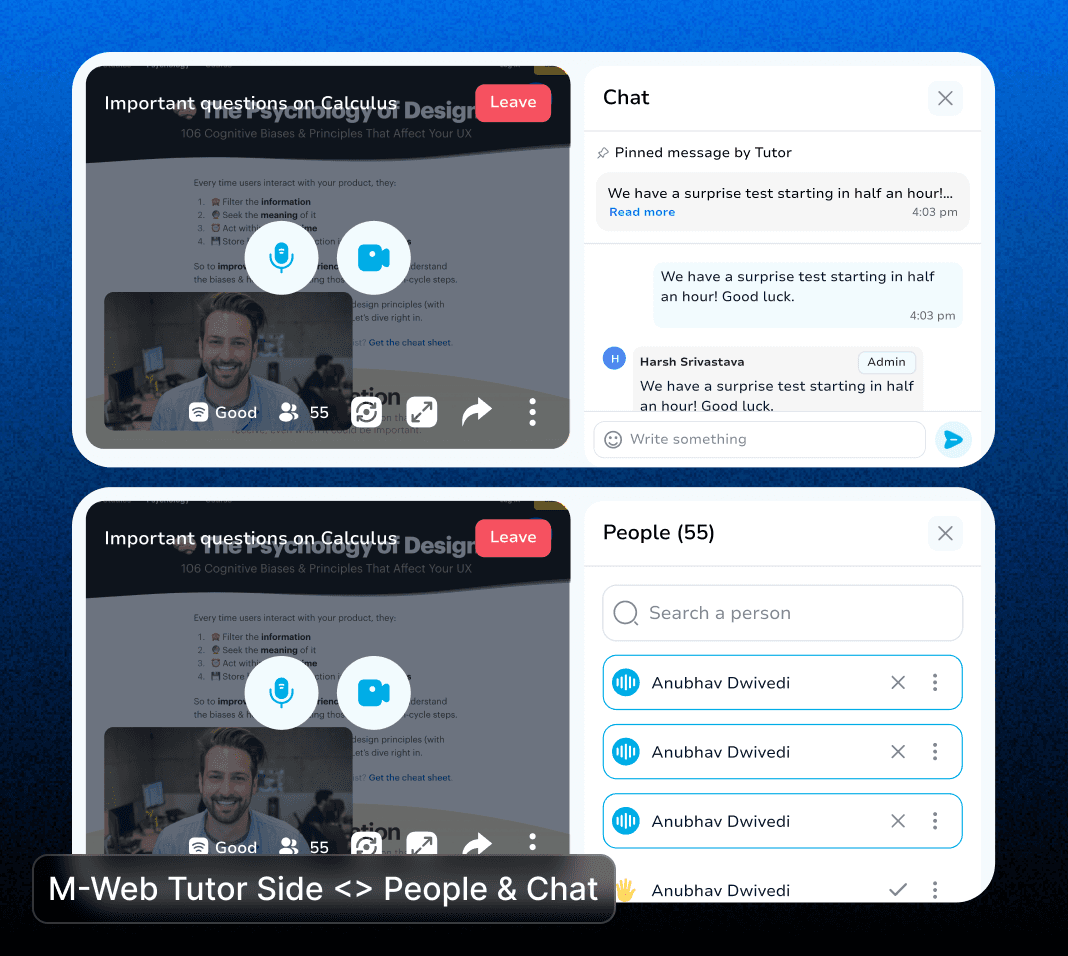
The chat screen is designed to facilitate seamless communication between tutors and students during live classes, enhancing engagement and structured interaction. Tutors have the ability to the Handraise Feature on or off, allowing students to virtually "raise their hands" to ask questions or participate. When enabled, students can click the handraise icon, signaling their need for attention, which appears in a queue for the tutor to address systematically. This ensures orderly discussions and minimizes disruptions during lectures, also tutor can pin IMP massages.
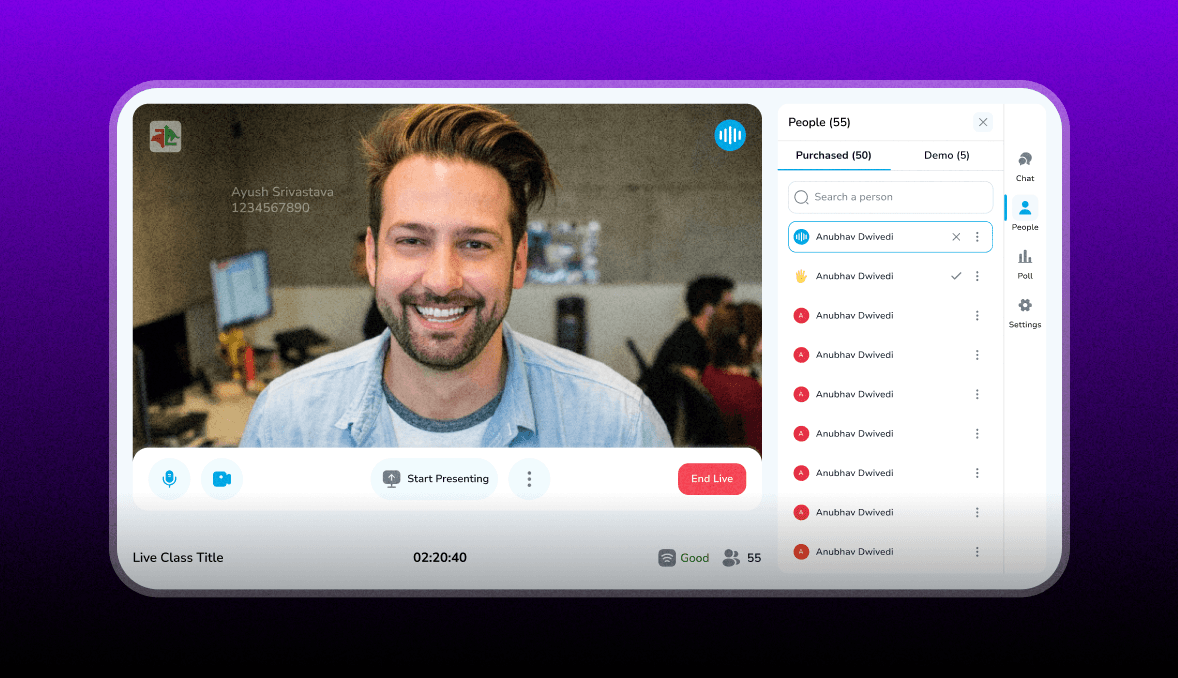
People Tab
Tutors can view students who purchased the course and demo students who joined via a link. The interface shows live attendance (e.g., 55 students) and allows tutors to start/end presenting. This helps tutors track engagement and manage live classes effectively, he can also block students by tapping on "3 Dots"
Poll creation
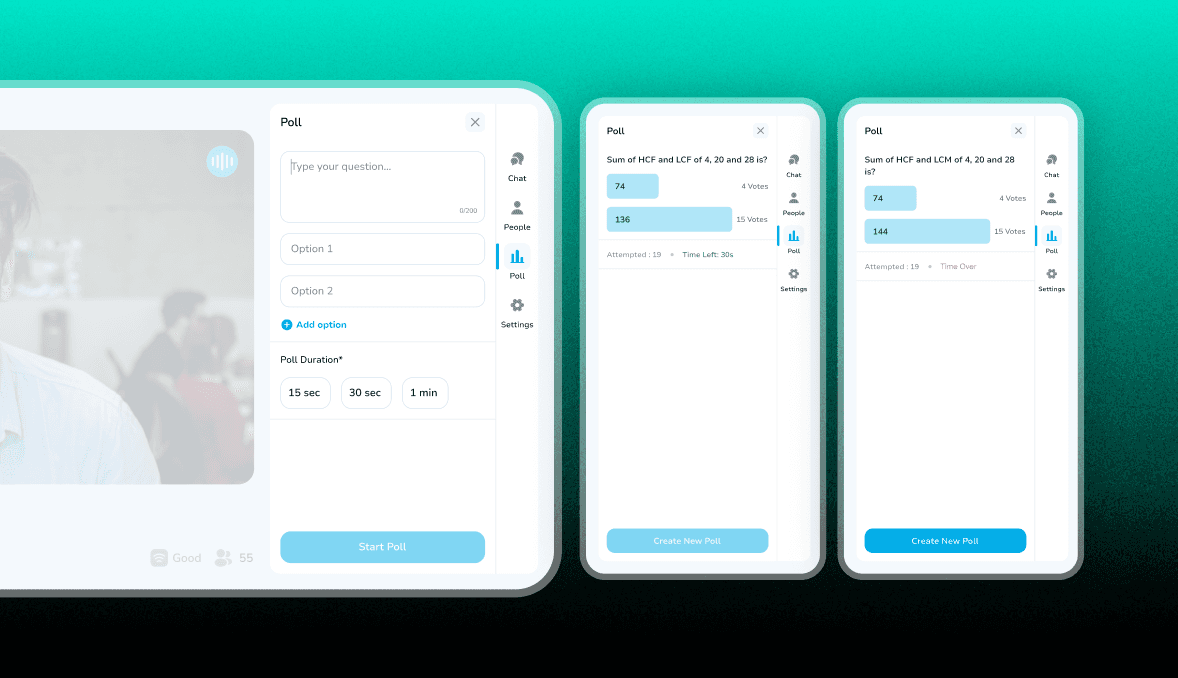
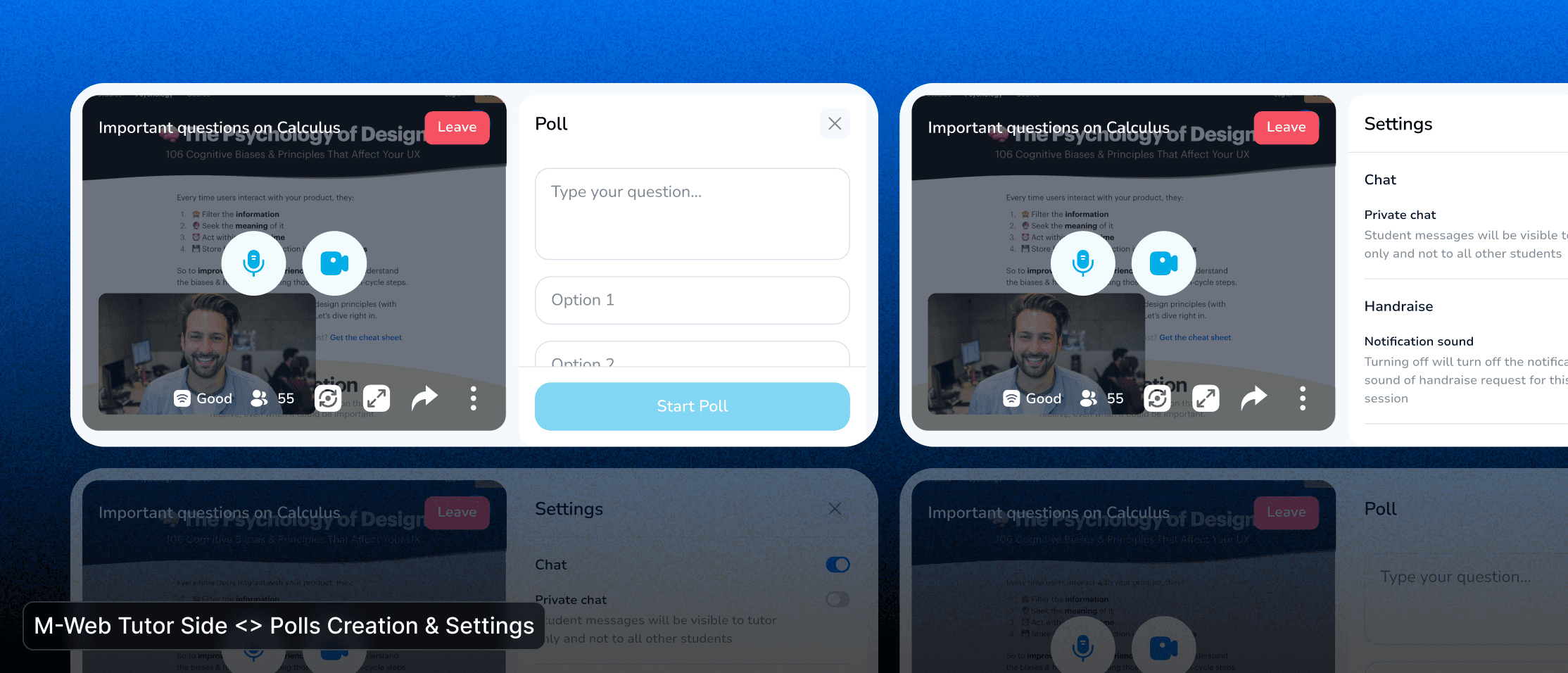
The Poll feature allows hosts to create interactive questions for participants. Users can enter a question, add multiple-choice options, and set a poll duration (15 sec, 30 sec, or 1 min). Once started, participants can vote in real time. Results are displayed dynamically, showing votes and remaining time. After completion, the host can create a new poll for continued engagement.
Settings
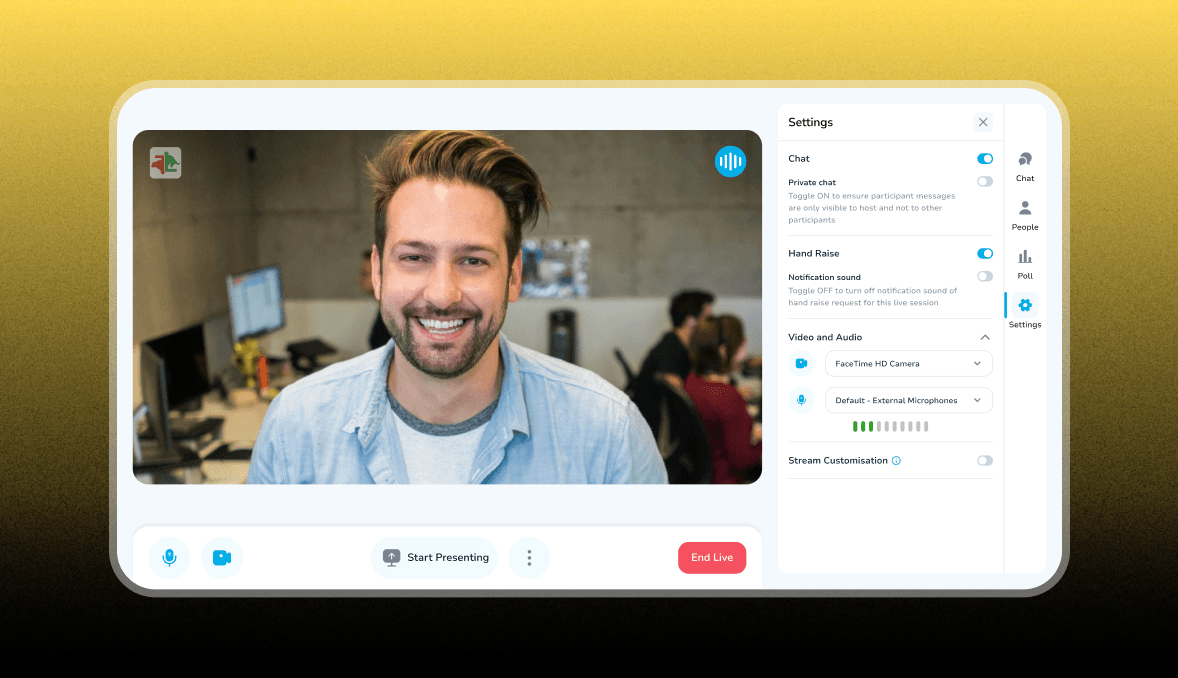
The Settings tab allows users to manage chat preferences, hand raise notifications, video and audio inputs, and stream customization options for a smooth live session experience.
Screen Presenting
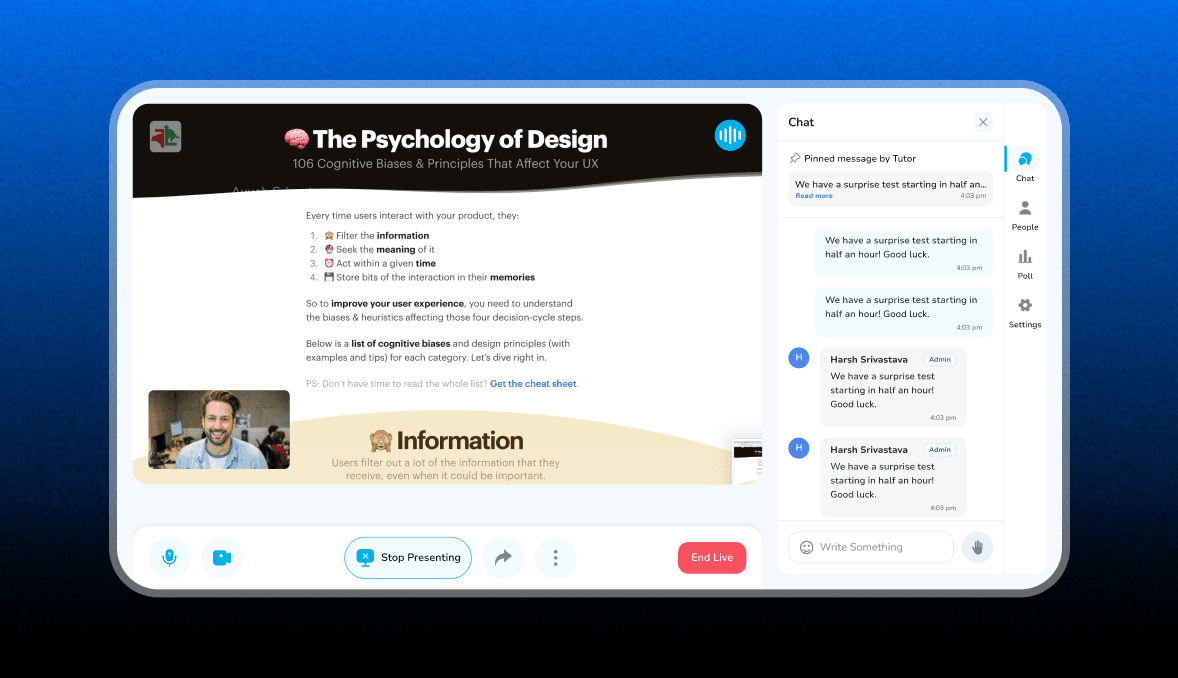
Tutor can share their screen by clicking "Start Presenting" button to stop presenting they have to click on "Stop Presenting" button.
Share live class
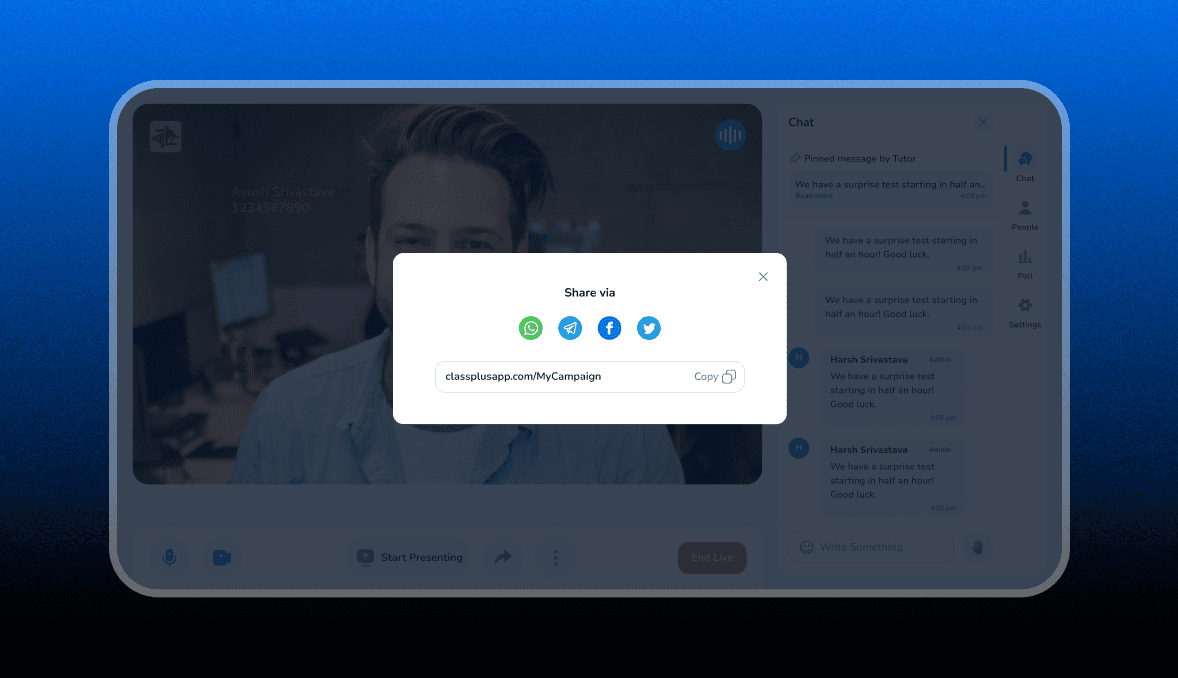
Tutor can share live class by clicking on "Share Icon"
Design Solution | Student side
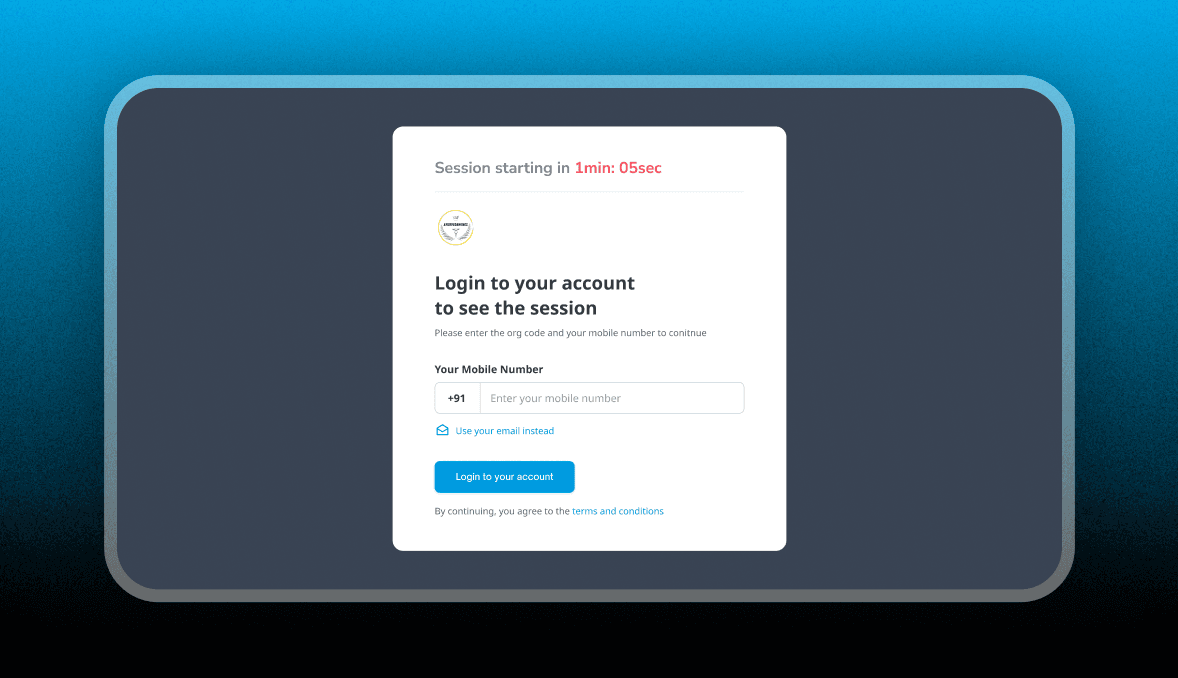
Login Screen
If session not yet started
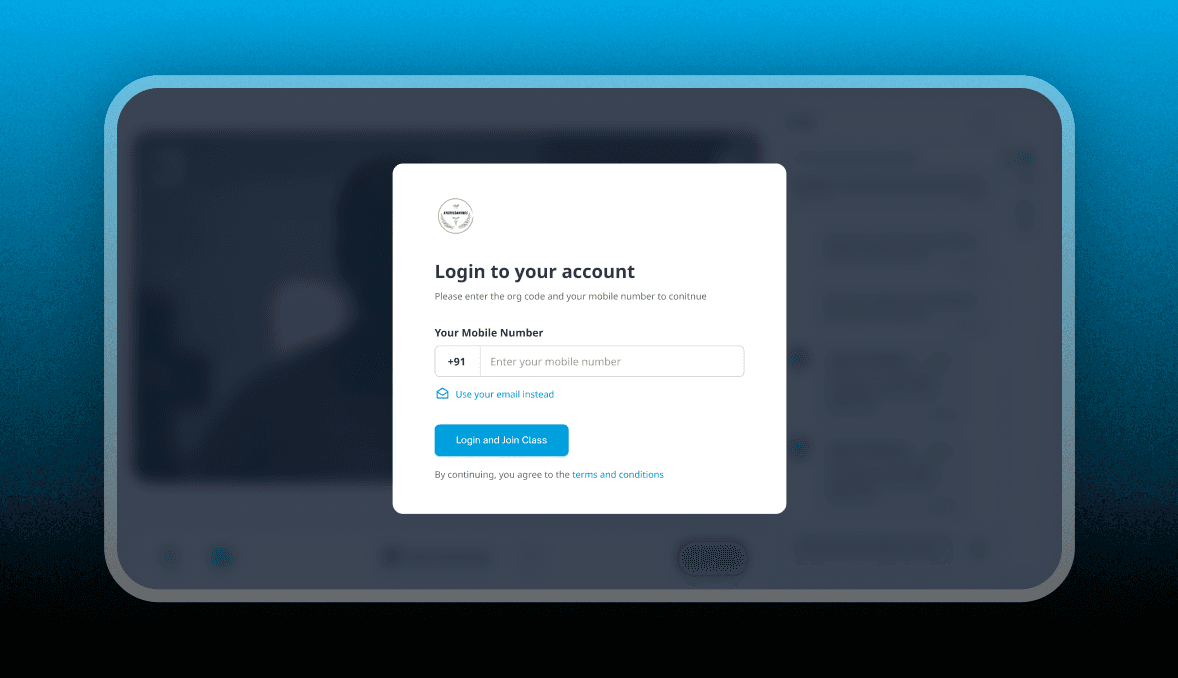
Login Screen
When the session already started new user can login & start using live class.
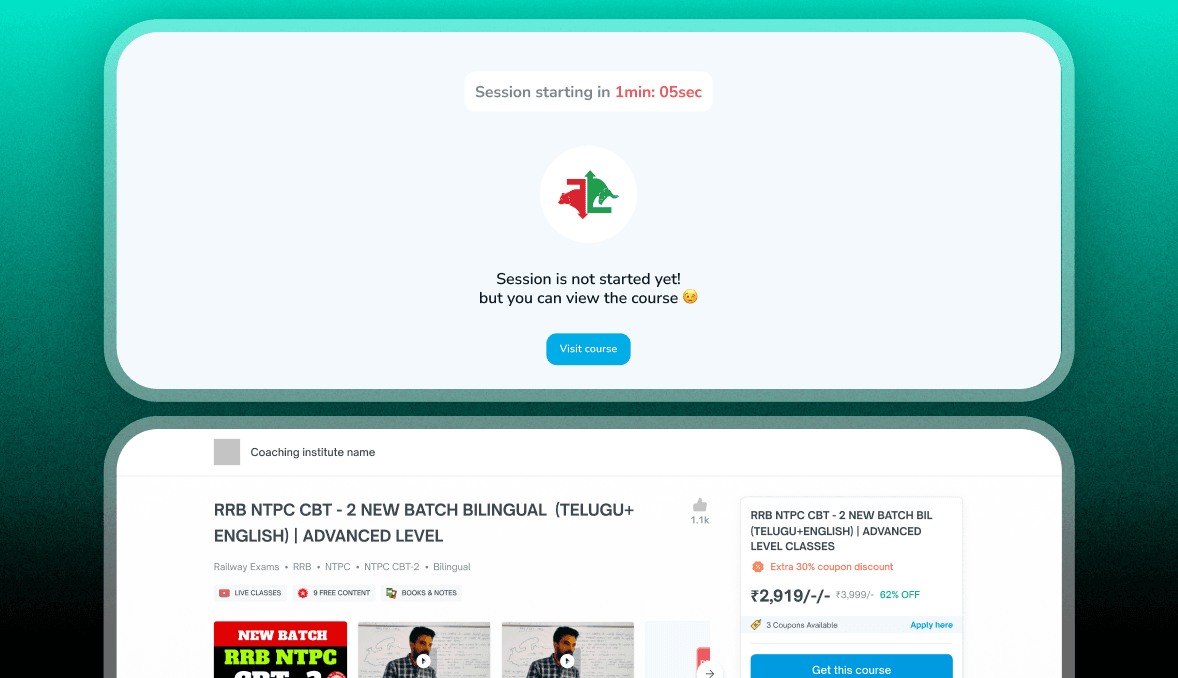
Course Pitch
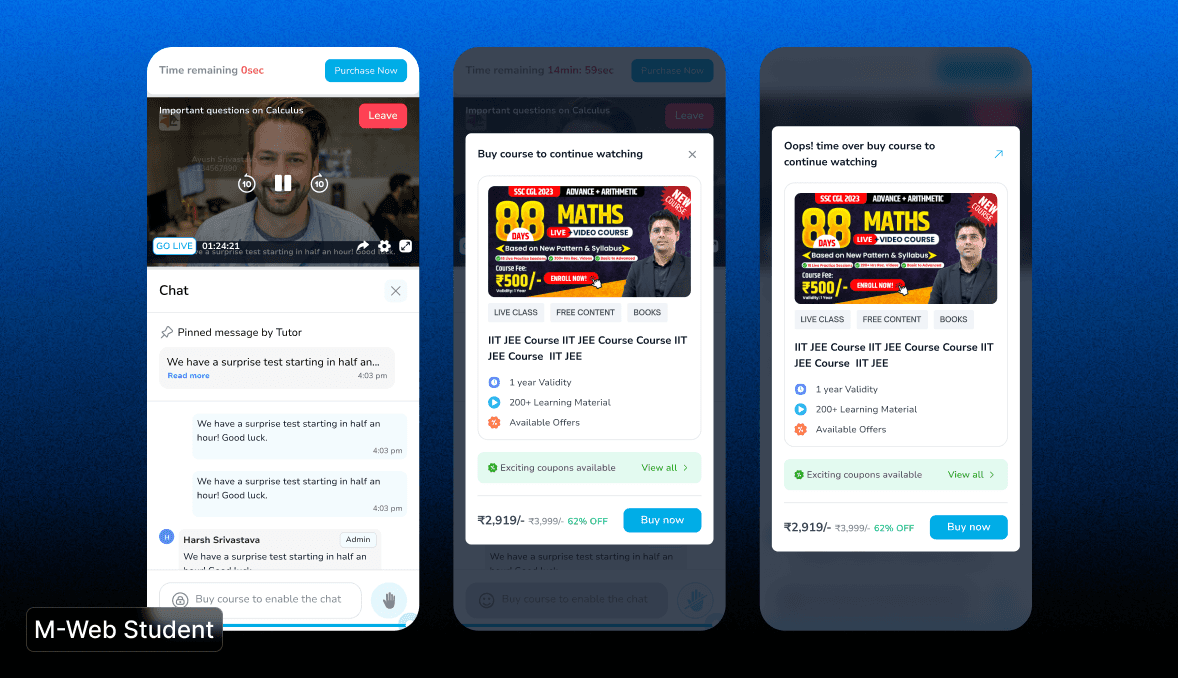
When a un-purchased (New) student complete the login screen he gets pitched to buy course.
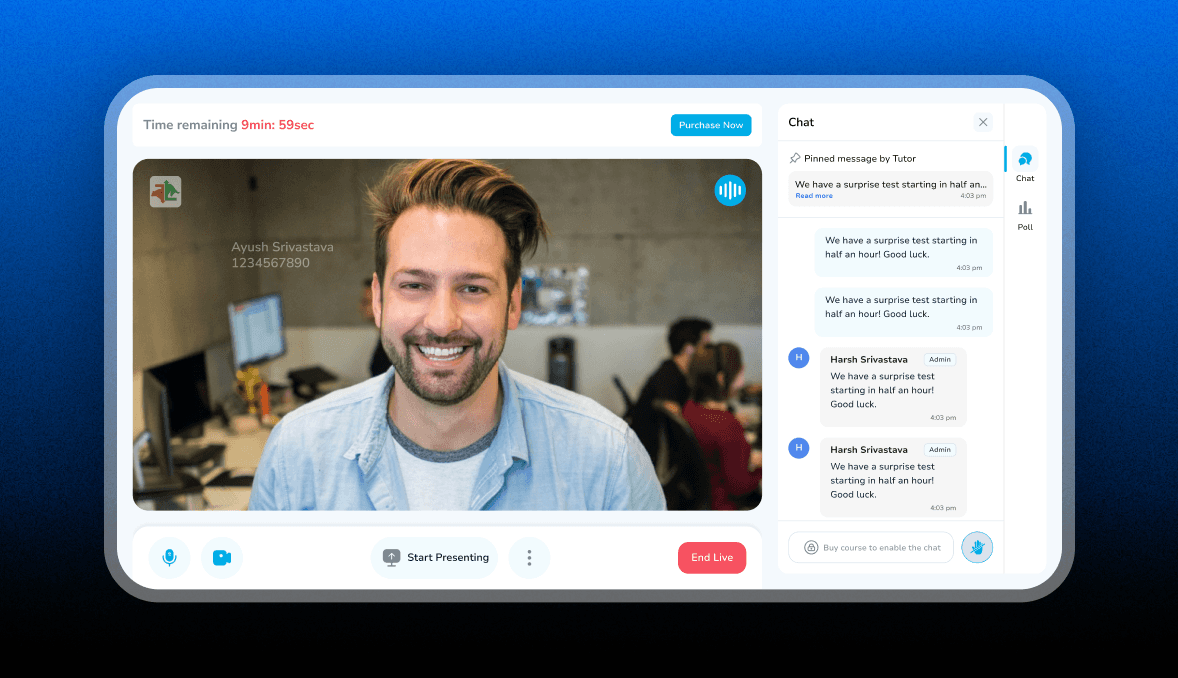
Live Class <> New User | Landing Screen
Live Class only available 10 min's for new students, they can only see the class features like chat, hand raise, poll are disabled for them to interact they have to purchase the promoted course.
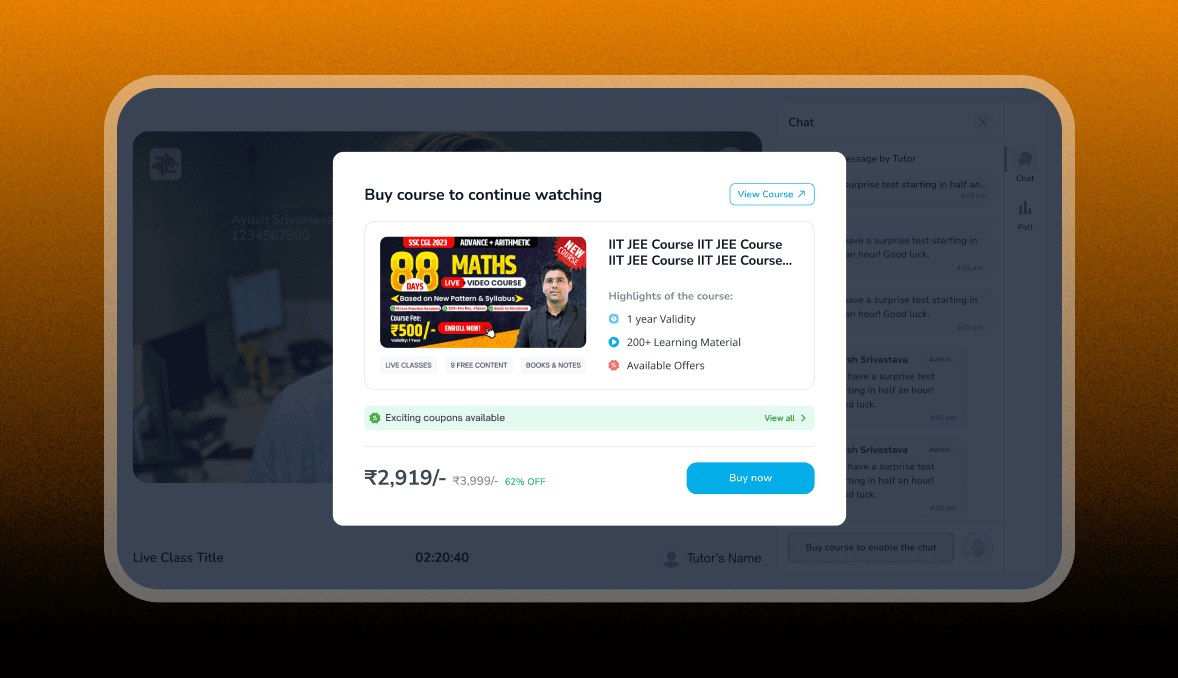
Demo Class Time Out <> New User
Live Class only available 10 min's for new students, if the time get over the course pitching popup comes up .
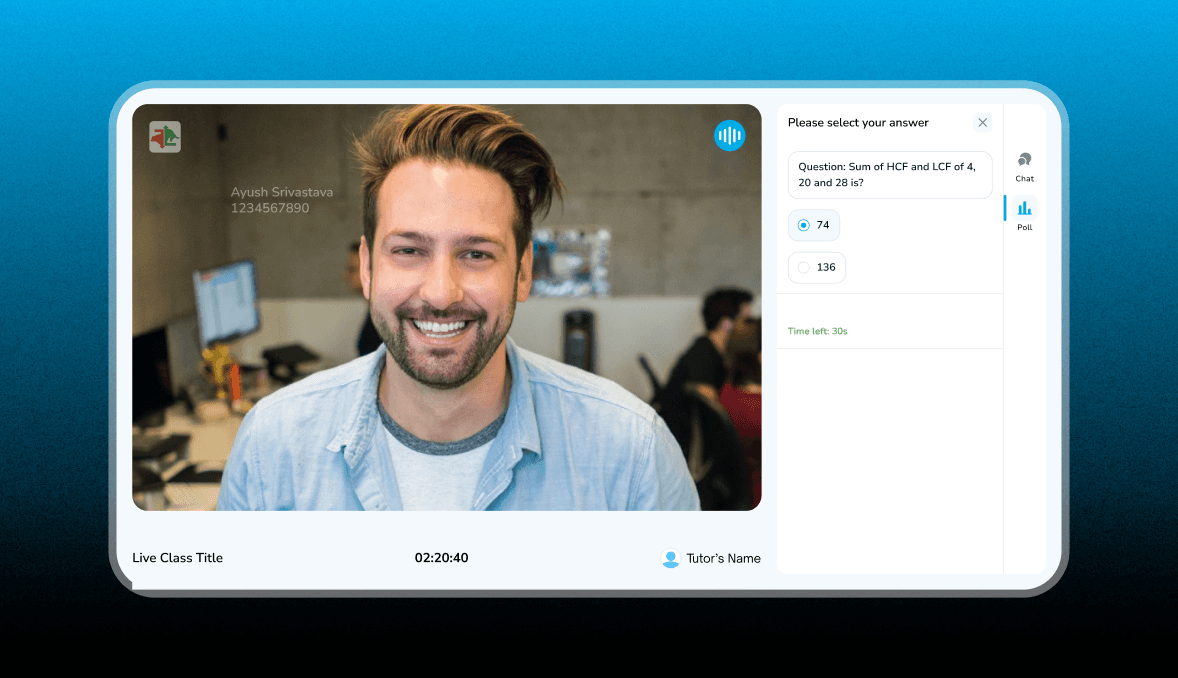
Poll
The Poll feature allows learners to participate in interactive quizzes or questions during a live class. When a poll is active, students can see the question and available options on the right panel. They can select their answer before the timer runs out, and their response is submitted automatically. A countdown timer indicates the remaining time to answer. This feature helps engage students, assess their understanding, and make learning more interactive.
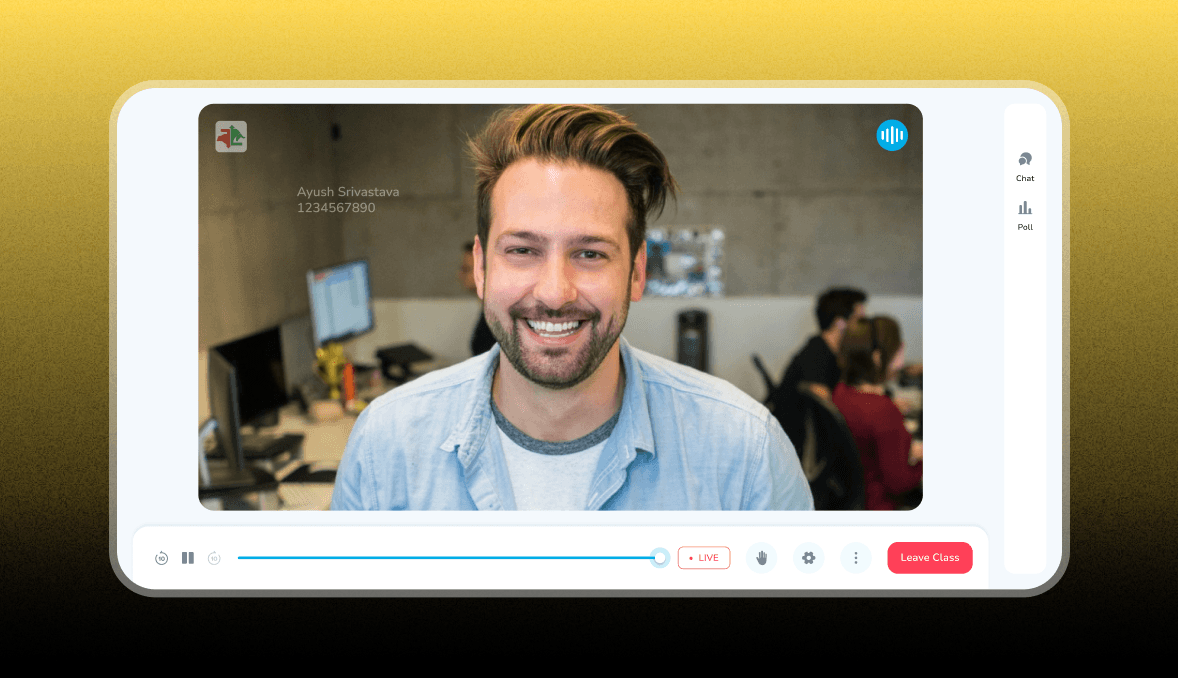
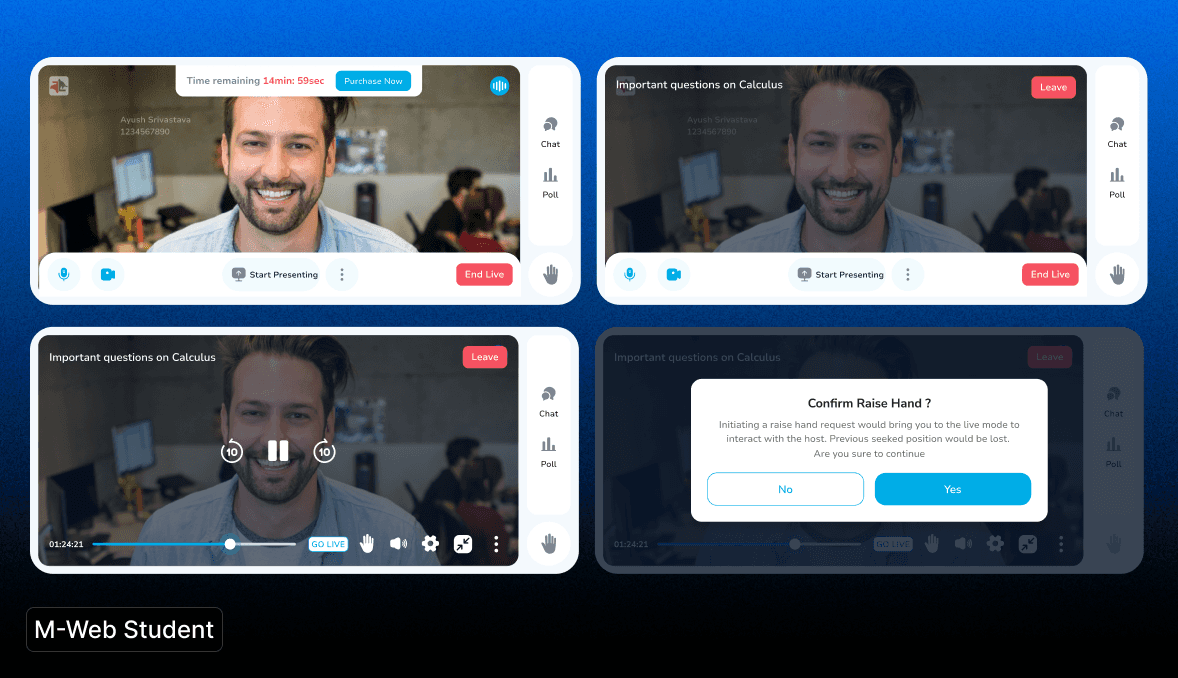
Seek bar & Hand raise
When hover is out in MT state the seek bar comes up, student can handraise or acces the class, settings etc.
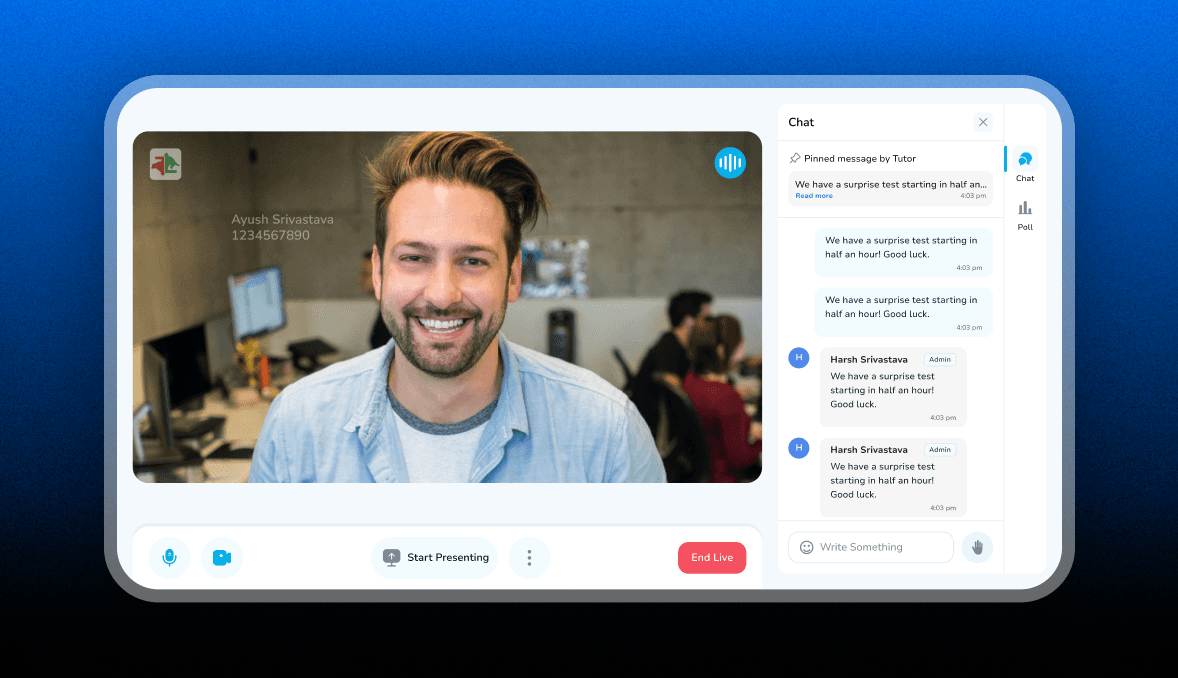
Course <> Purchased User | Landing Screen
Course purchased students can use all the features like Chat, Poll, Hand raise, they can present their screen to the tutor as well.
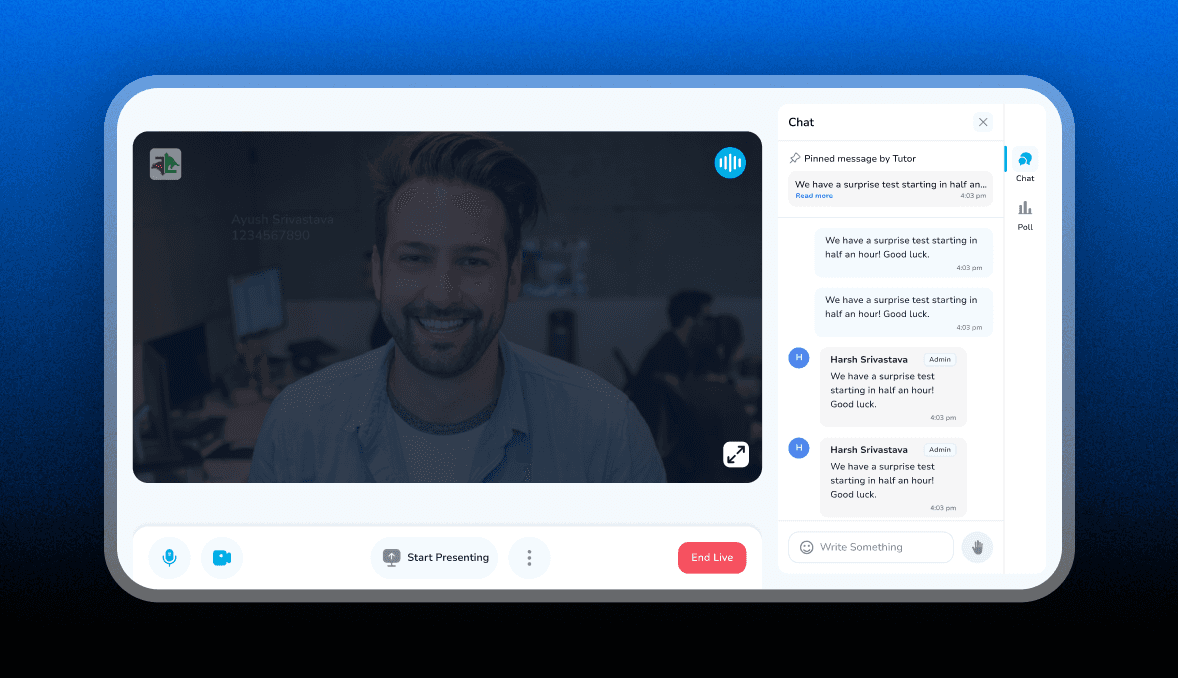
Full Screen View Option
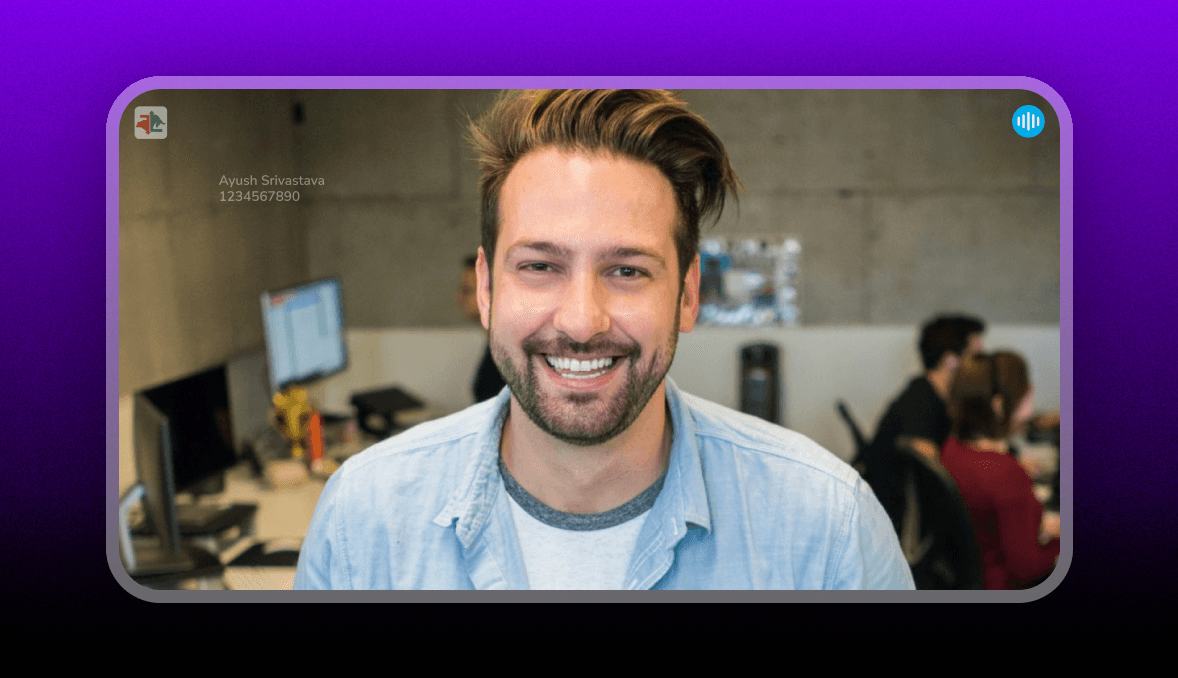
When student hover on the screen they can make screen full sized by tapping on the icon
Full Screen View