Gamification Campaign Design
May 2024
A gamified campaign for Classplus White-label & DIY platform, designed to engage educators, creators, and students:
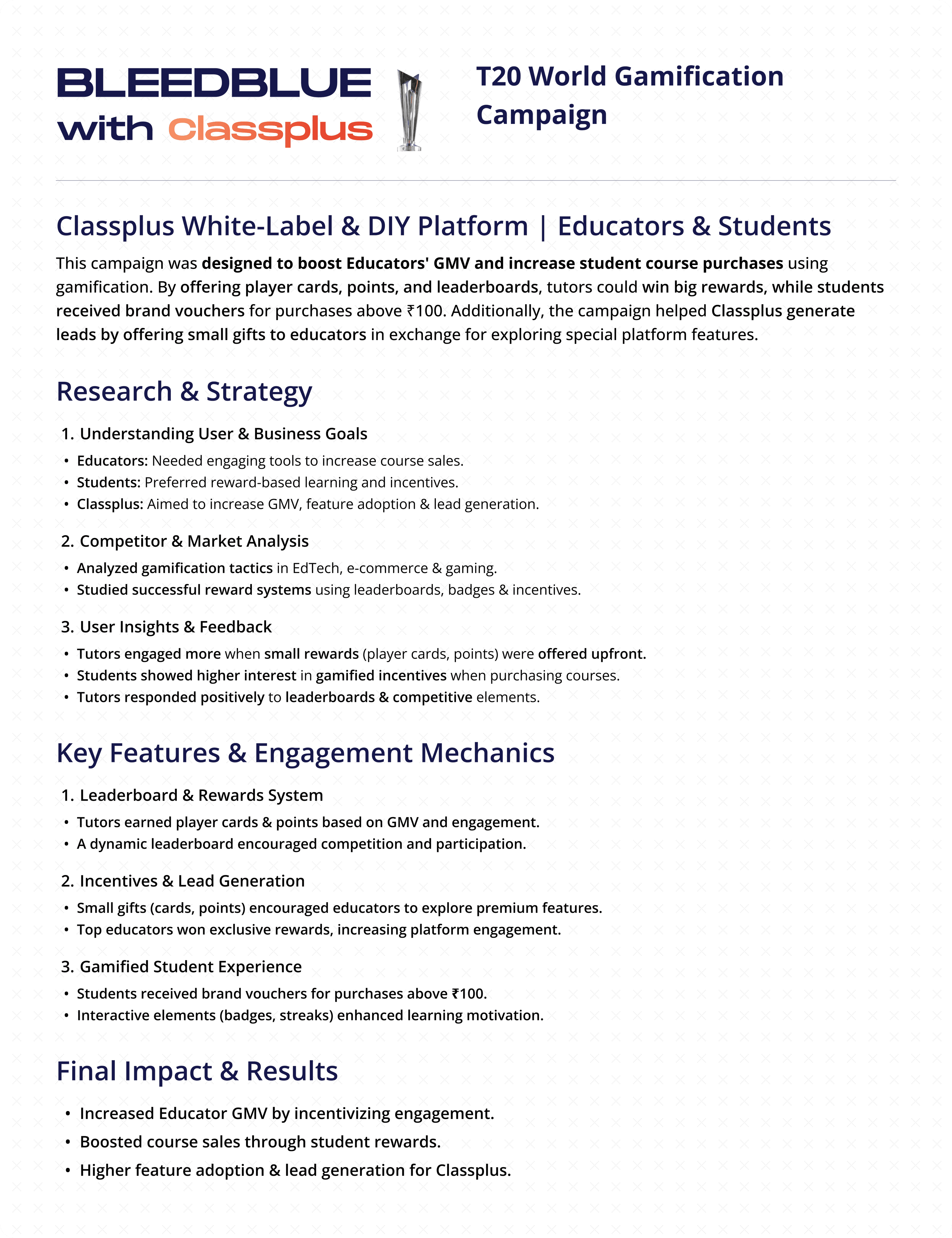
Tutor Side: Boosts Educators' GMV by offering player cards & points as rewards. A leaderboard tracks progress, and top tutors win big prizes. Additionally, it helps Classplus generate leads by promoting special features to educators.
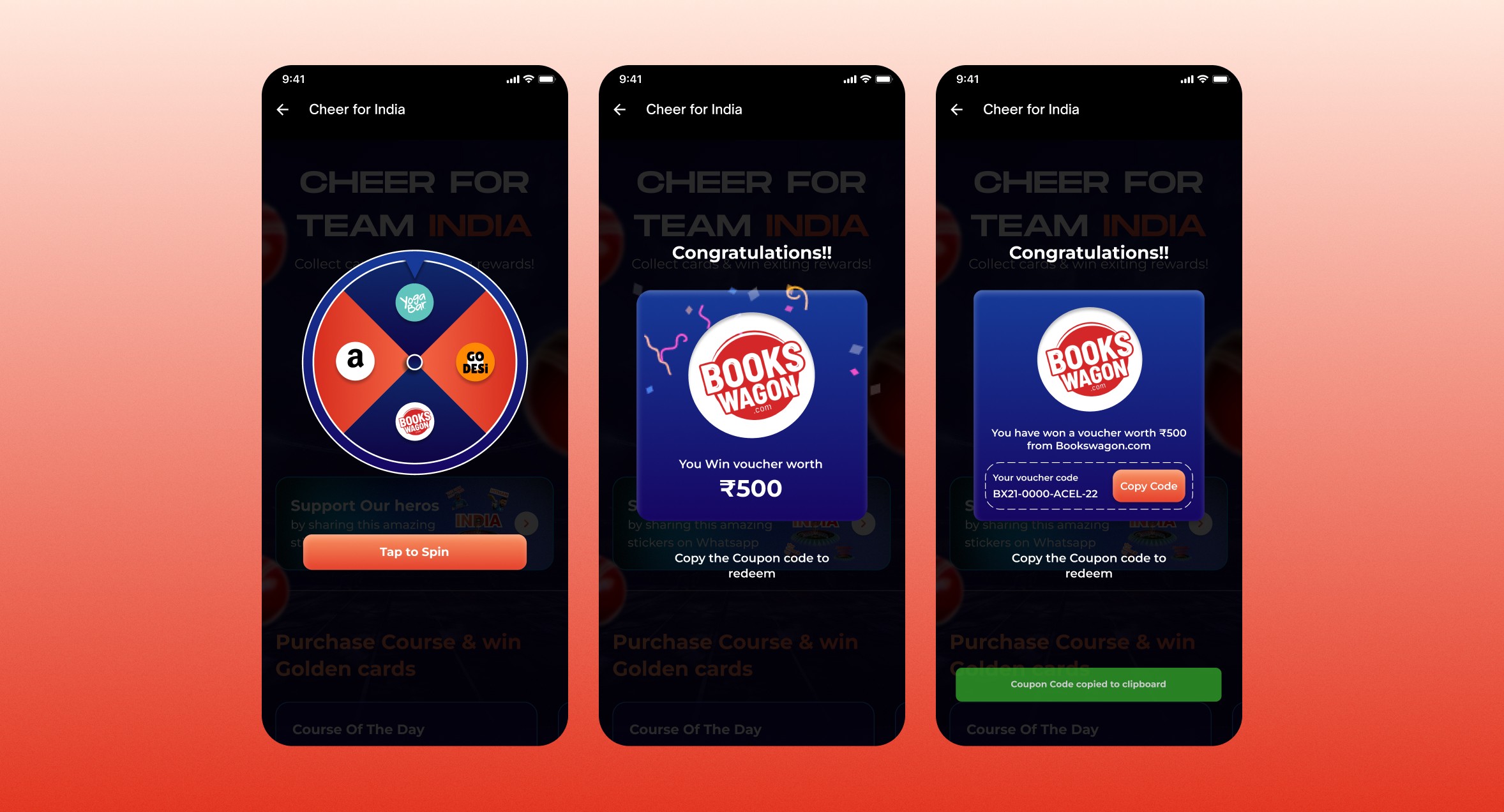
Student Side: Encourages course purchases by rewarding students with brand vouchers on a minimum spend of ₹100.
Client
Classplus
My Role
Product Designer
Category
Gamification | B2B | B2C
Platform
Mobile App, Web
Tools Used





Educators on Classplus White-label & DIY platform needed better engagement and sales growth, while Classplus aimed to increase GMV and generate leads by promoting special features. Students also needed incentives to purchase courses, leading to lower conversion rates.
For Educators:
Boost engagement and increase GMV through gamification by offering player cards, points, and leaderboard rewards, ultimately driving sales and lead generation for Classplus.
For Students:
Encourage course purchases by offering brand vouchers through gamified rewards, improving overall tutor revenue and student retention.
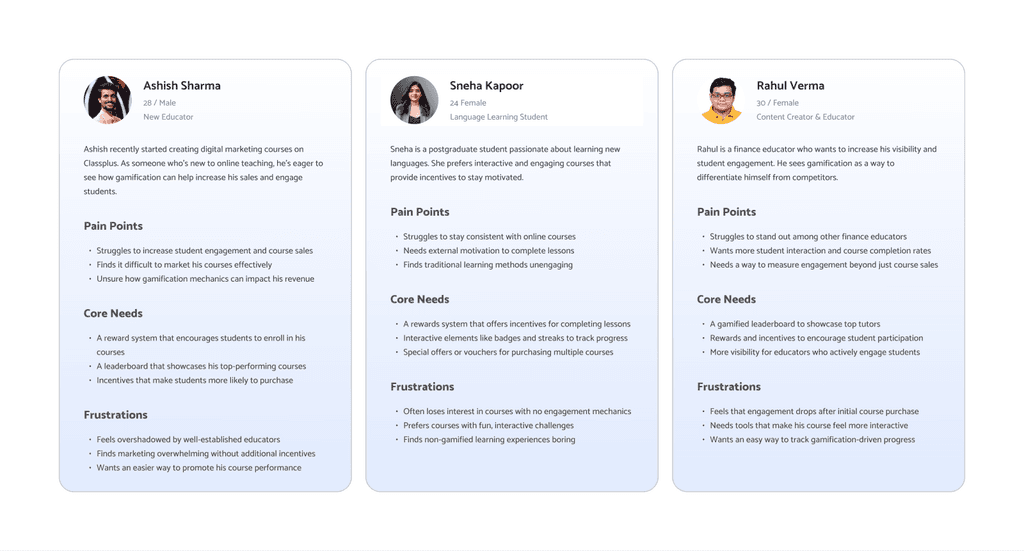
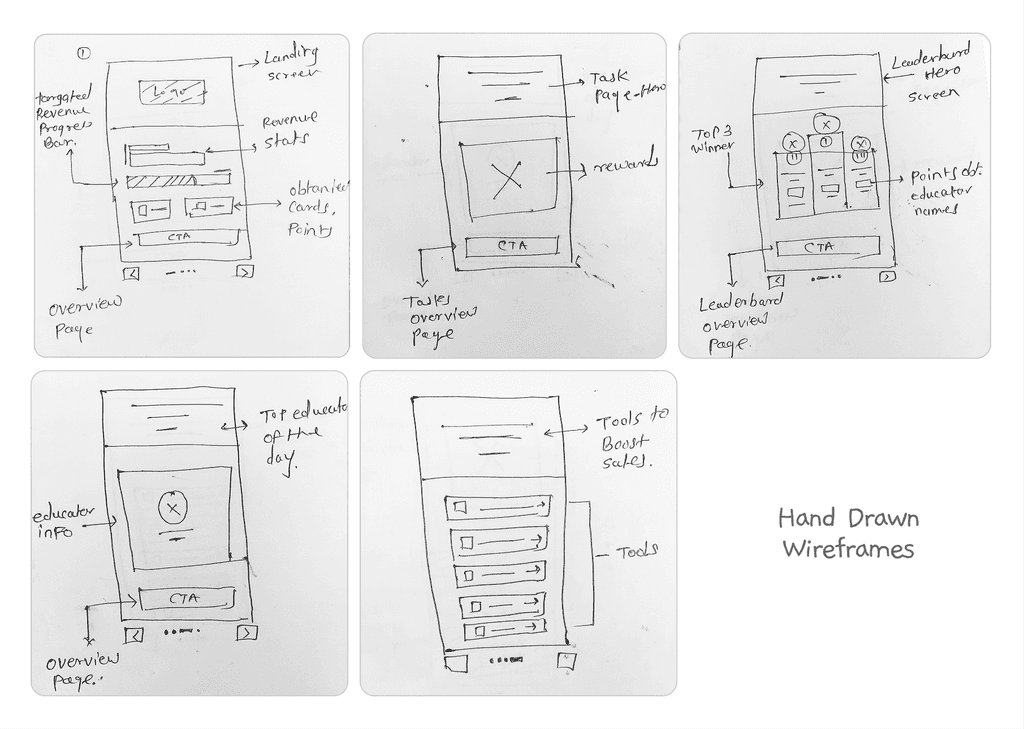
In this project, I followed a structured design process to build a scrollable, ocean-themed Year-End Review for Classplus, delivering a visually captivating, brand-aligned experience that celebrates user achievements. Here’s how I approached it.
2
Market & User
Research
3
4
5
Mood Boarding
& Design
6
7
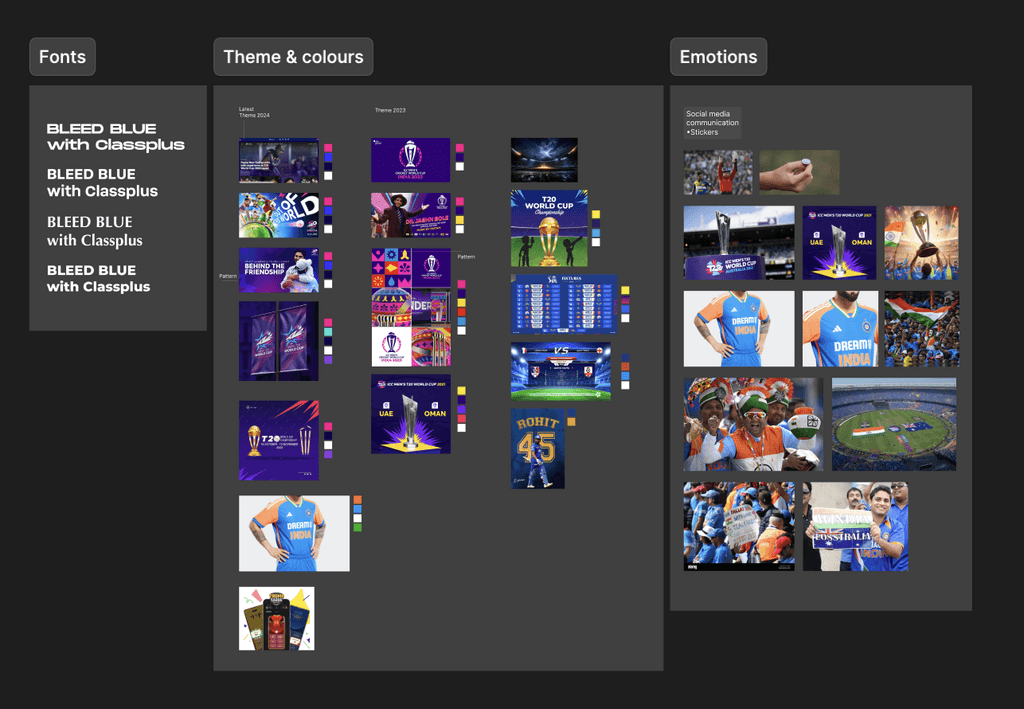

Theme Concept
“Bleed Blue with Classplus” is inspired by the energy, unity, and excitement of T20 cricket. It embodies a sense of collective spirit—educators, creators, and students cheering together for success. By tying into the vibrant color palette of T20 cricket (notably the iconic blue), this theme represents forward momentum, collaboration, and celebration of achievements.
Logo Integration
The Classplus logo is subtly woven into the design to maintain brand recall, while the T20 visuals (like a trophy or cricket ball) take center stage. This approach ensures brand consistency without overpowering the energetic T20 aesthetic.
Visual Elements
Deep Blue Gradient Symbolizes the limitless possibilities and winning spirit associated with T20 cricket.
Cricket Trophy & Ball Motifs Highlight the competitive edge and victory mindset, aligning with the idea of reaching milestones.
Dynamic Shapes & Motion Effects Represent fast-paced action, reflecting the quick, high-energy format of T20 matches.
Subtle Spark & Stadium Light Overlays Evoke the thrill of live matches, celebrating achievements under the bright lights.
Overall Feel
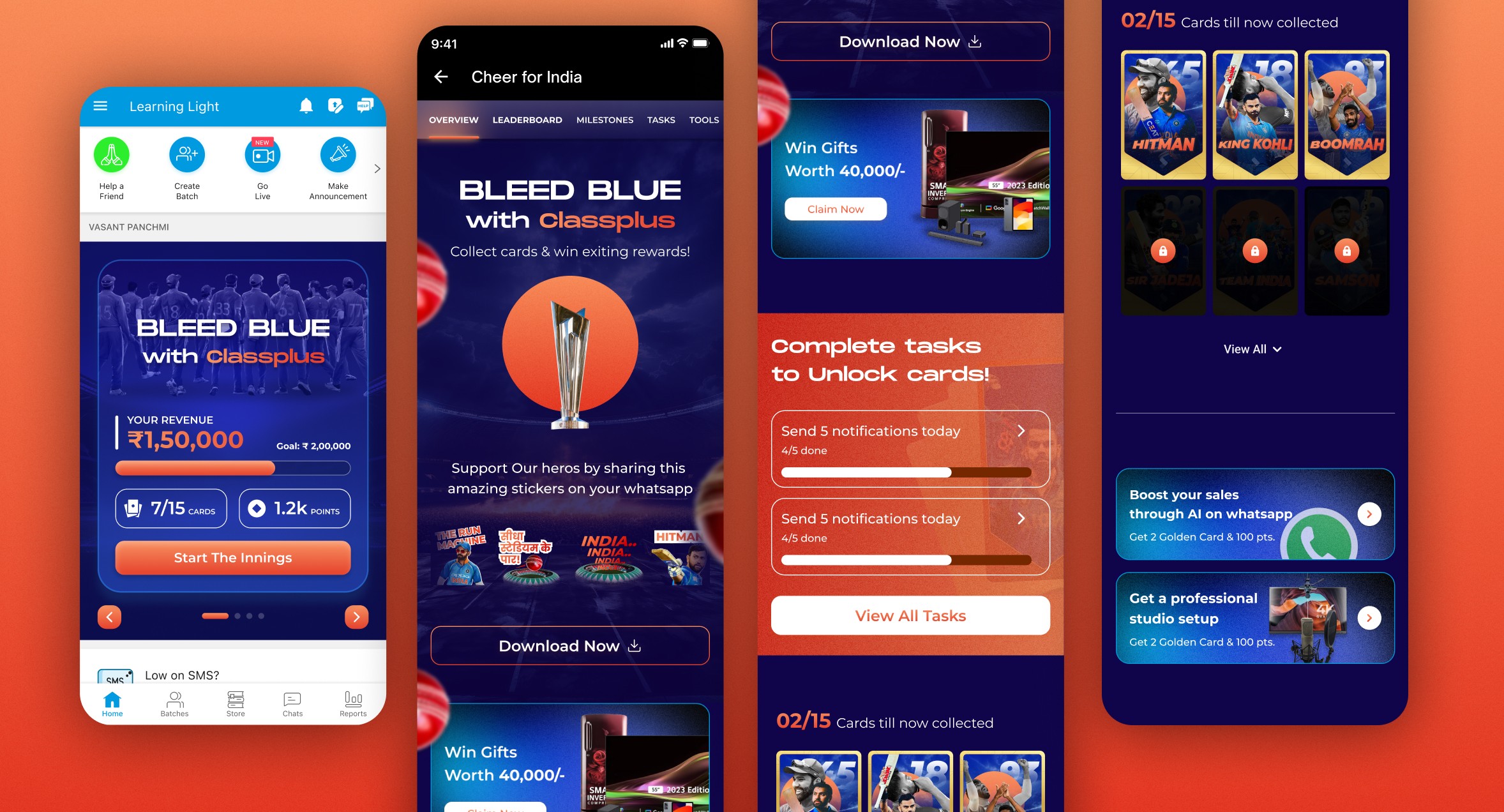
Landing Screen
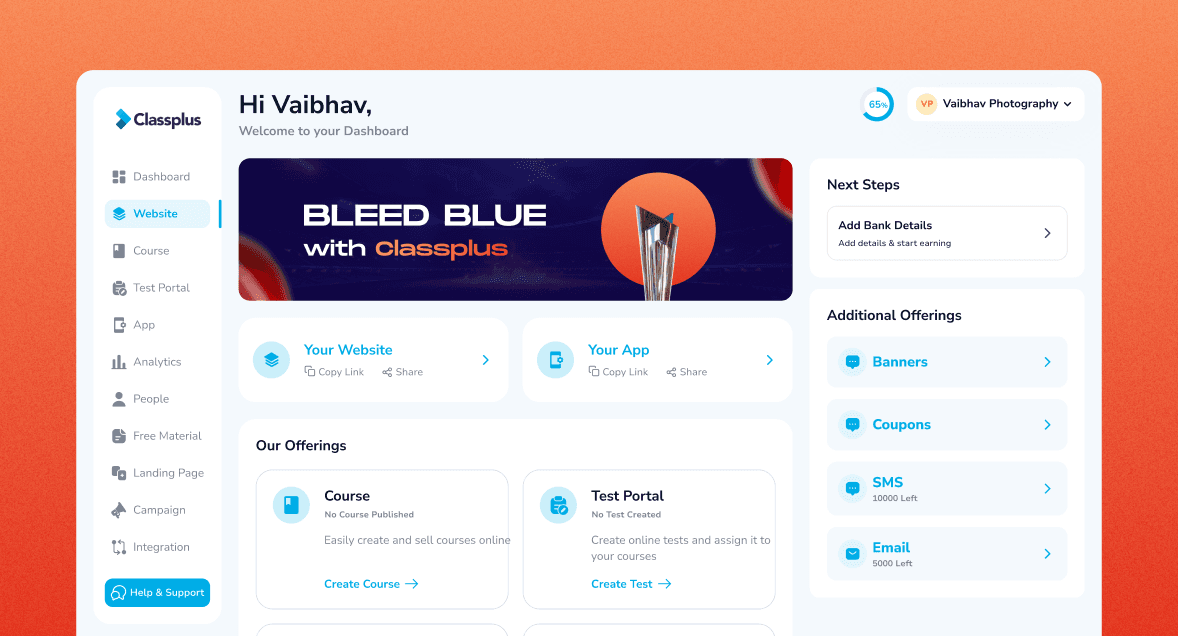
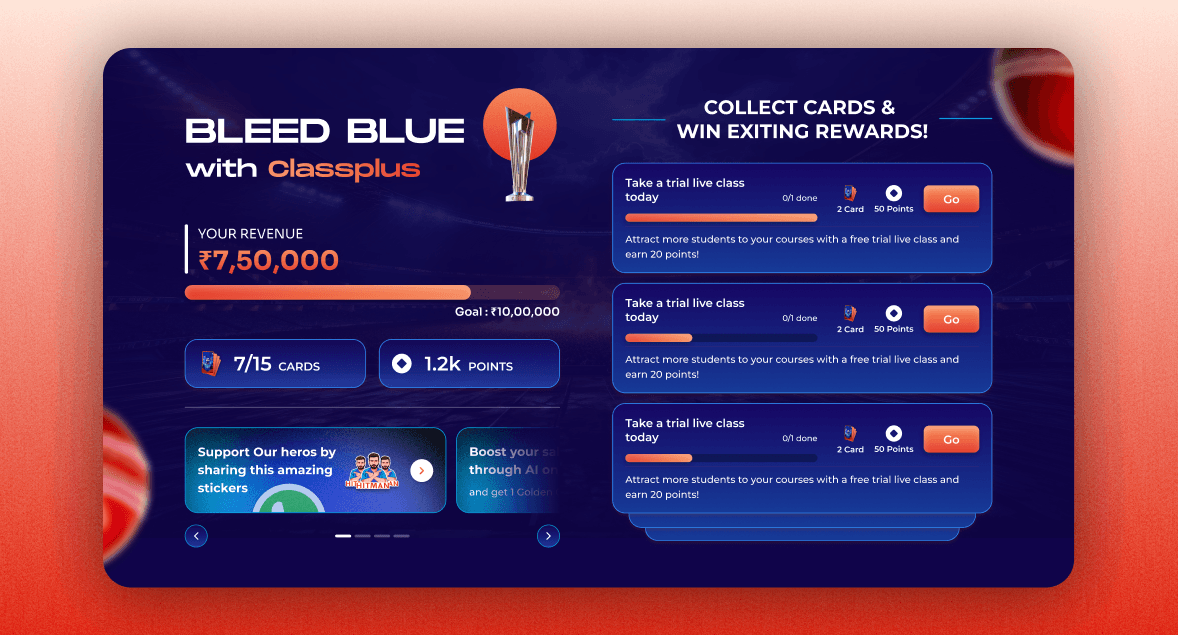
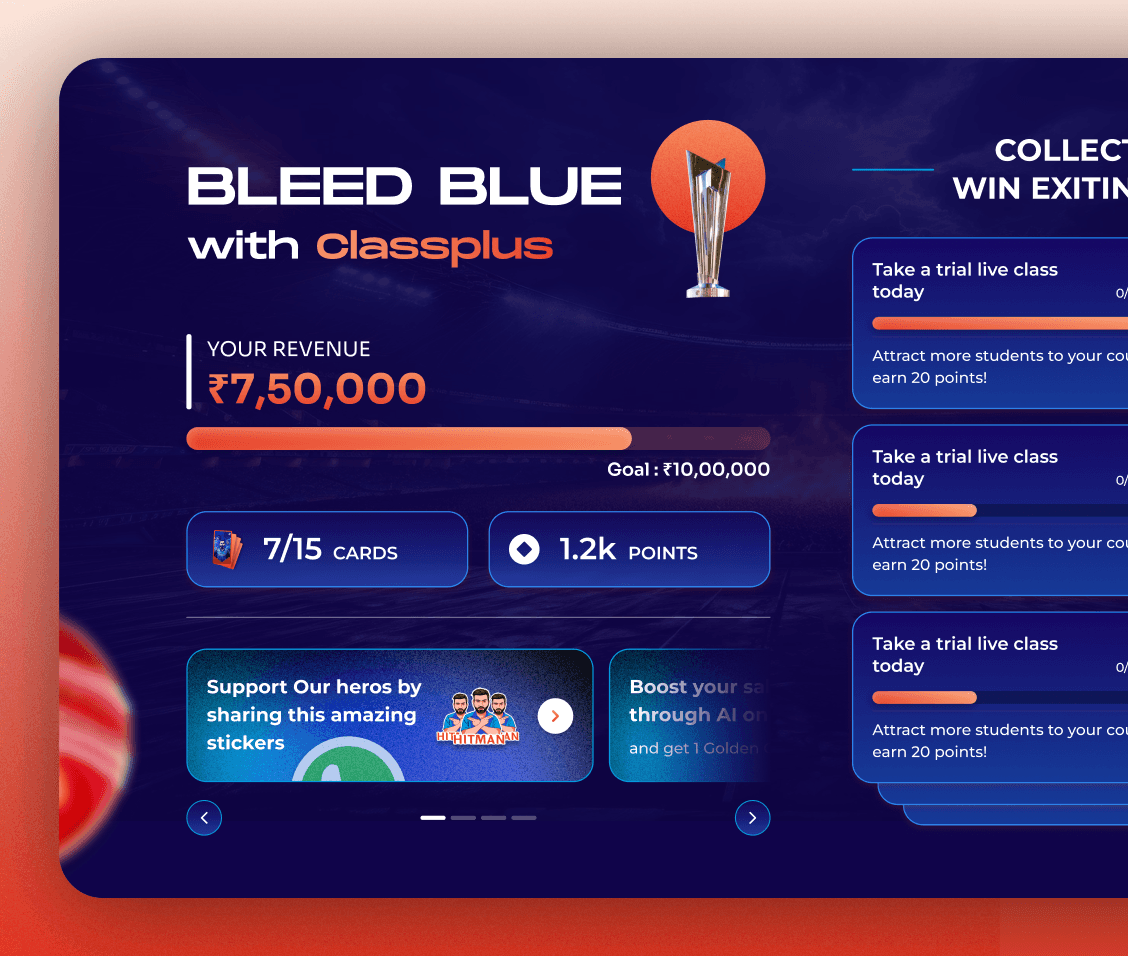
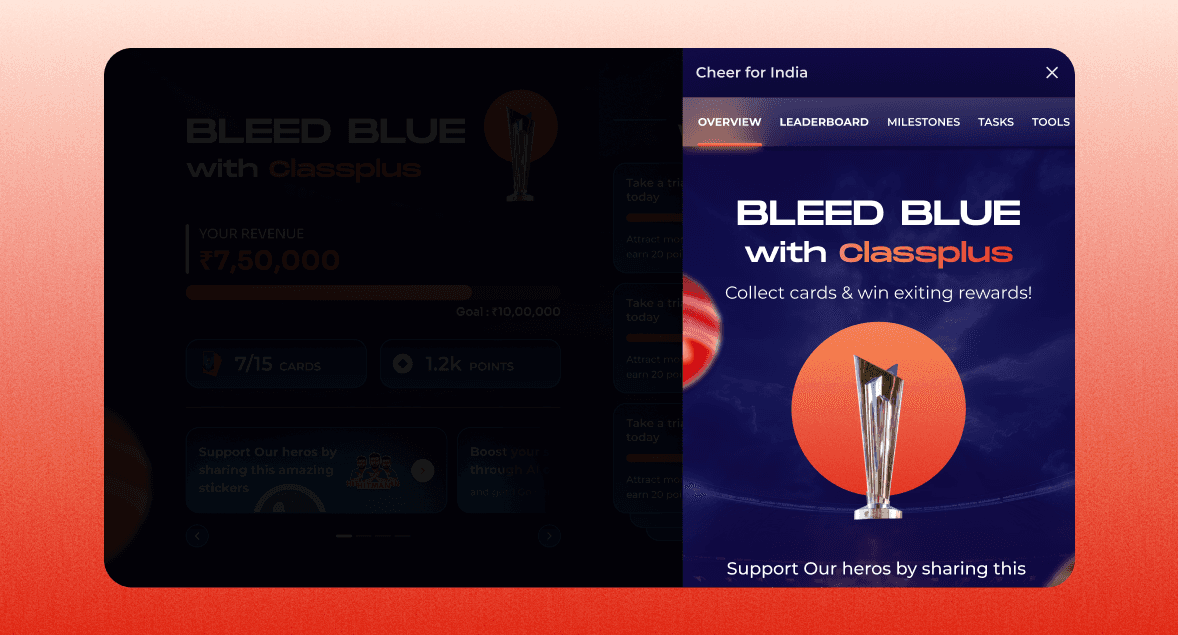
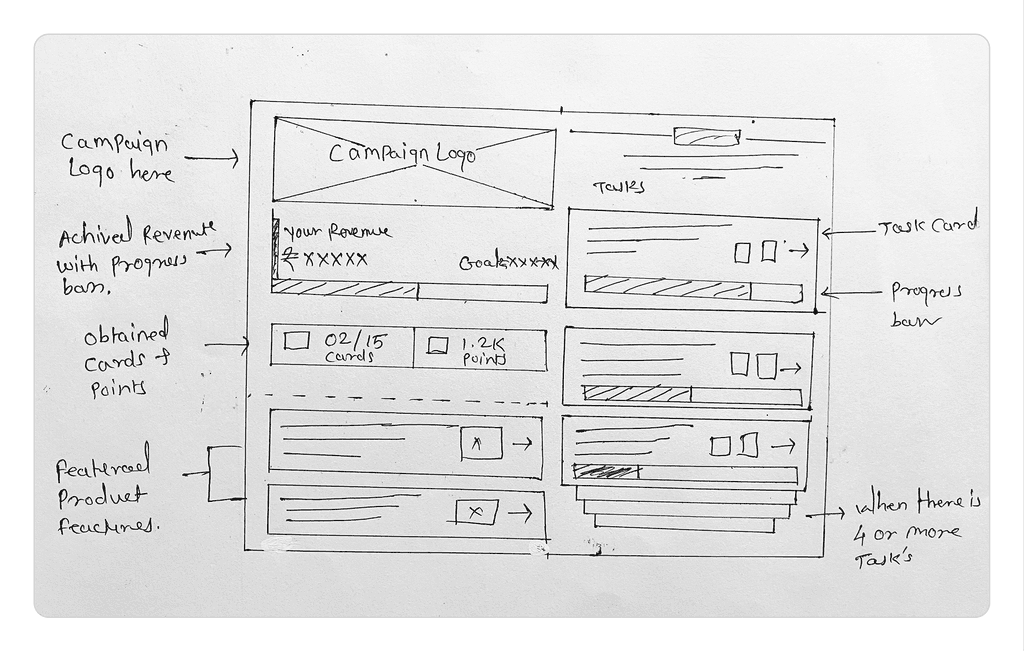
This screen greets users with a vibrant T20 cricket theme, showcasing key metrics—like revenue, goals, and points—to spark immediate engagement. Bold blues and cricket visuals evoke the thrill of live matches. By highlighting rewards and achievements right away, it motivates users to explore the campaign’s features.
Campaign Overview Page
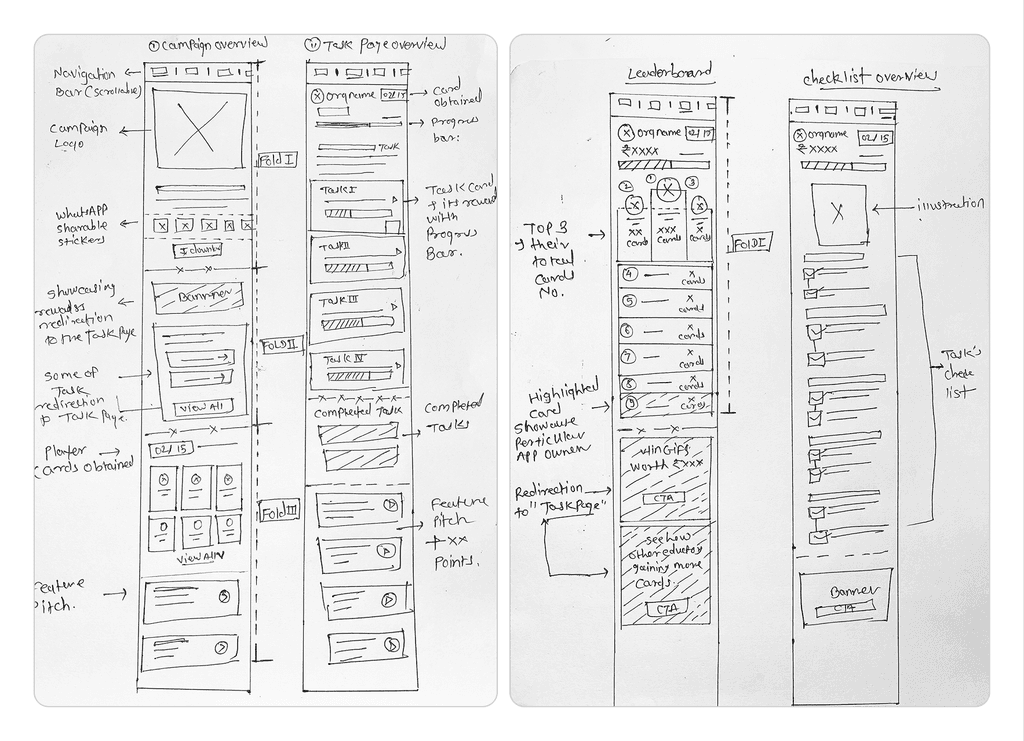
When educators tap “Start the Innings,” they reach a page that highlights key tasks, including sticker downloads for student engagement. Completing these tasks unlocks player cards and points, creating a sense of progression and reward. In the final step, educators encounter a subtle pitch for Classplus features, which not only generates leads but also offers additional rewards for exploration. By blending fun sticker downloads with strategic feature prompts, the campaign boosts both user engagement and platform adoption.
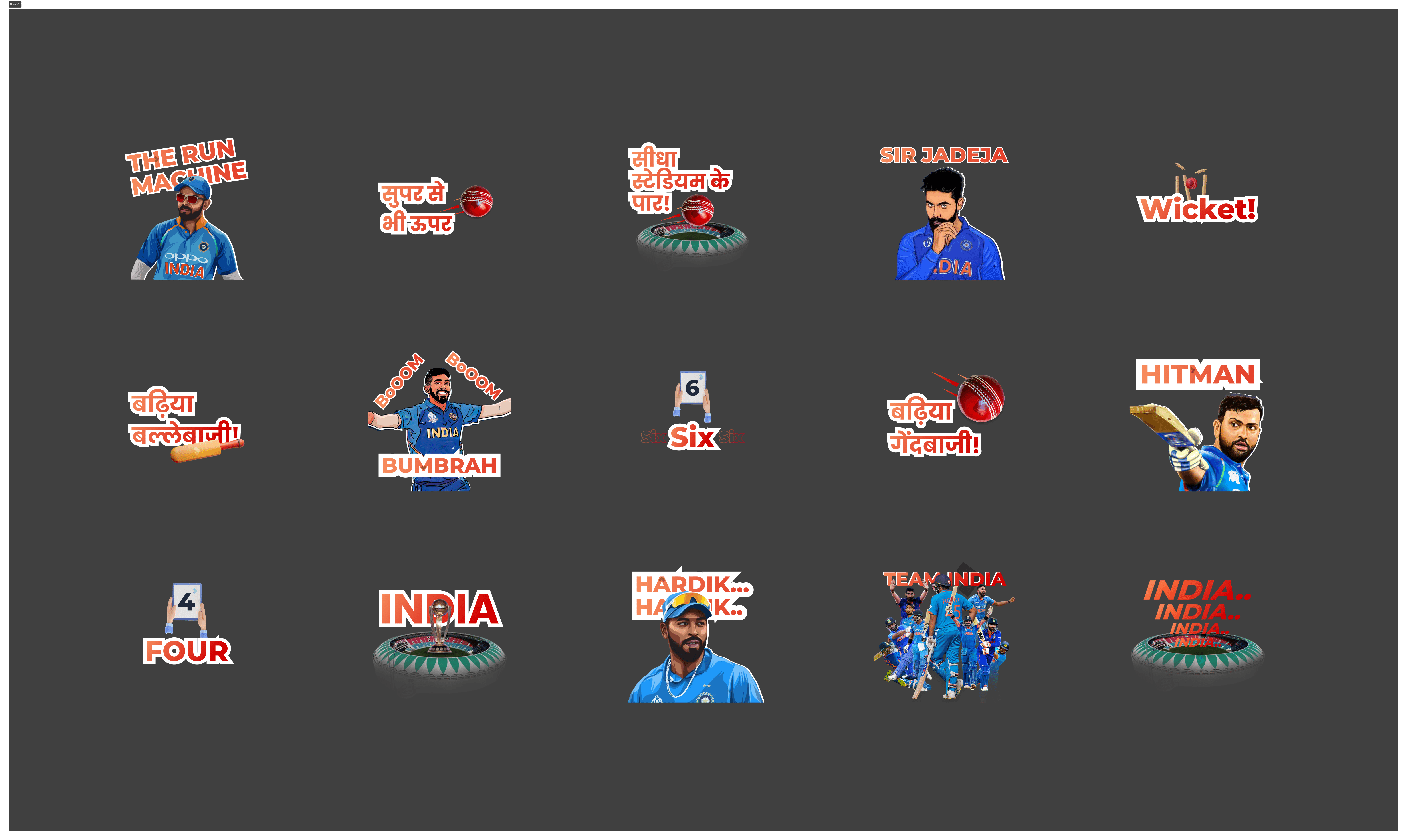
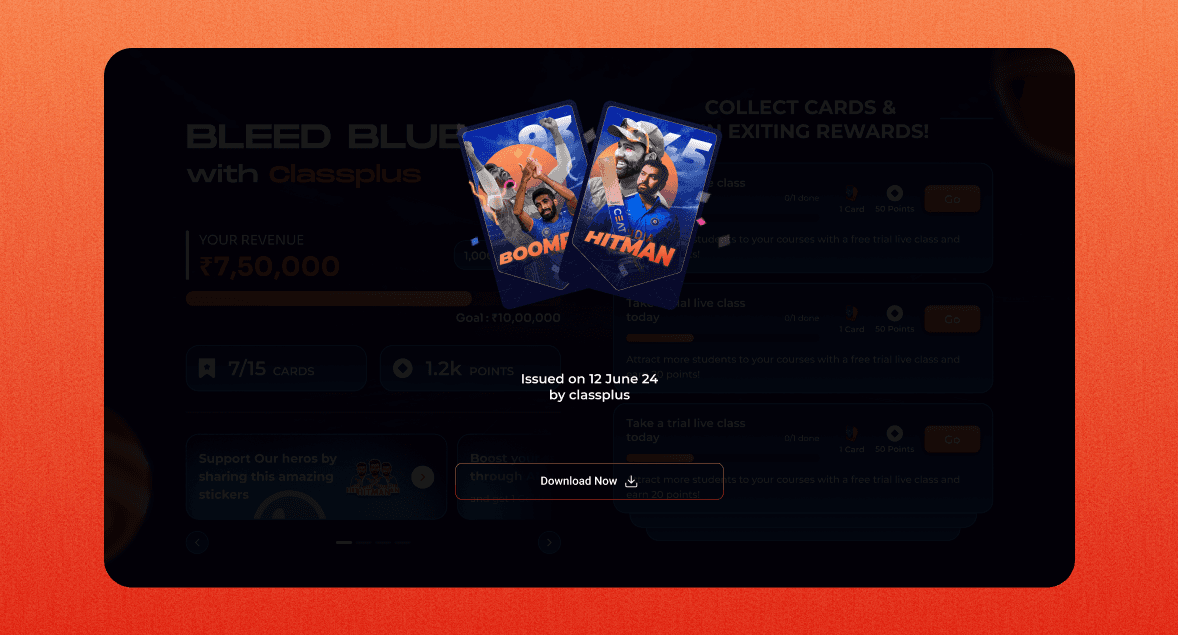
Cricket is an emotion for fans, and integrating shareable, cricket-themed stickers was a way to extend the campaign’s reach beyond the platform. The sticker set includes dynamic visuals of star players, match moments, and celebratory phrases that resonate with cricket enthusiasts. Designed with a mix of bold typography, action shots, and vibrant colors, these stickers allow educators and students to express their excitement while organically promoting the campaign across social media platforms.
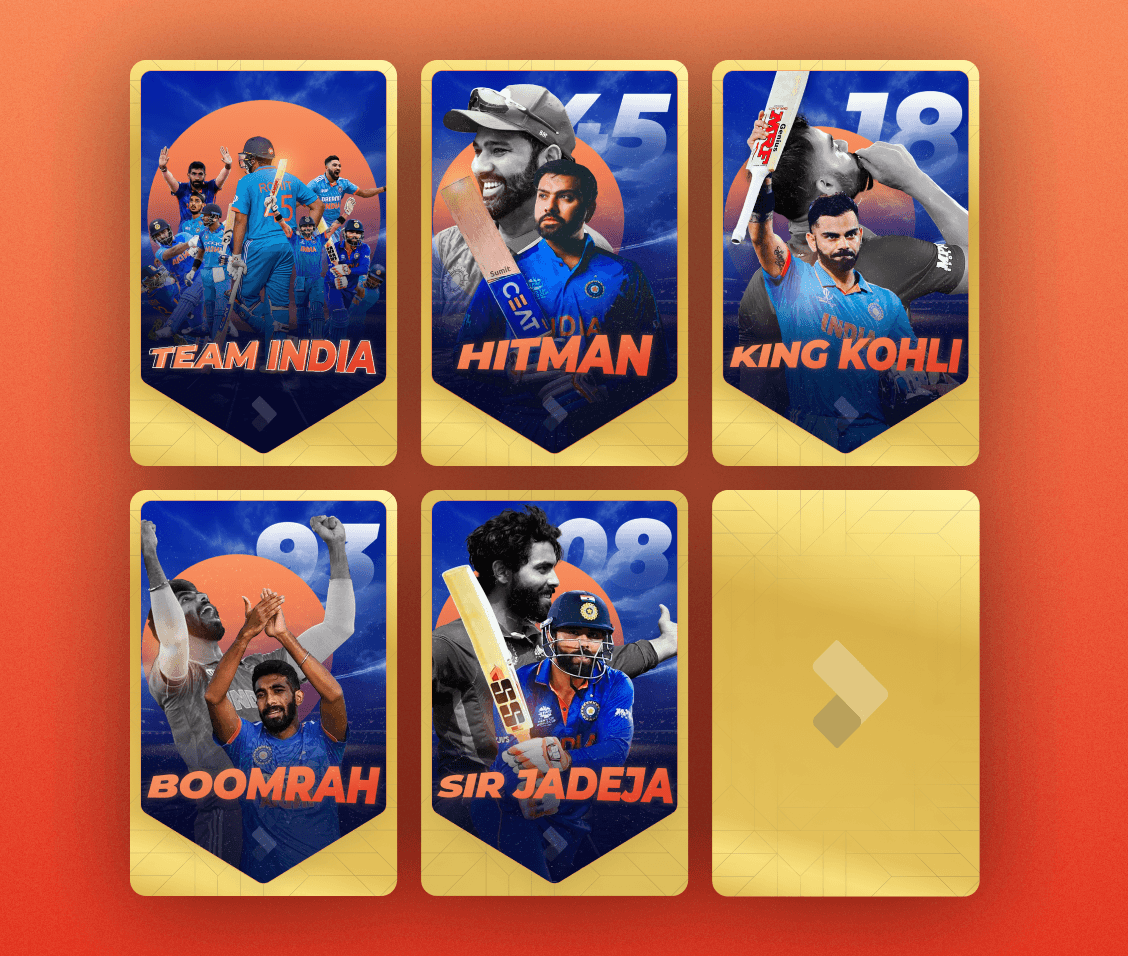
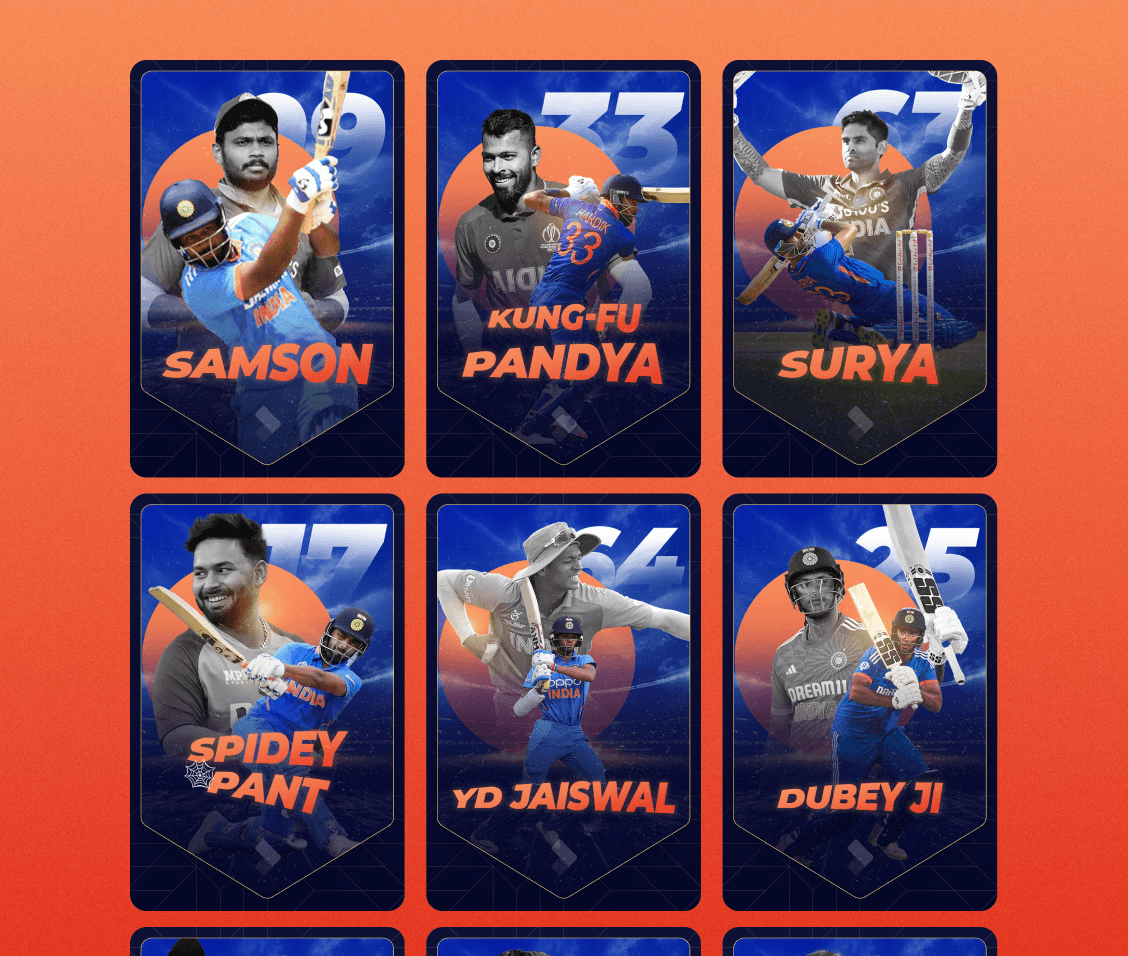
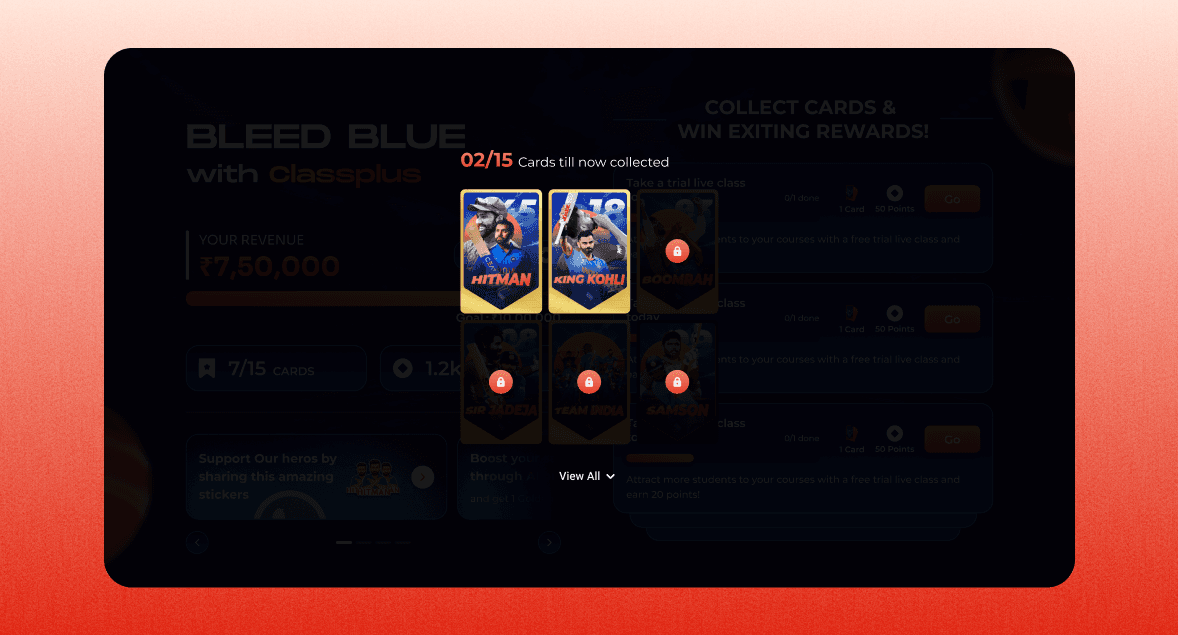
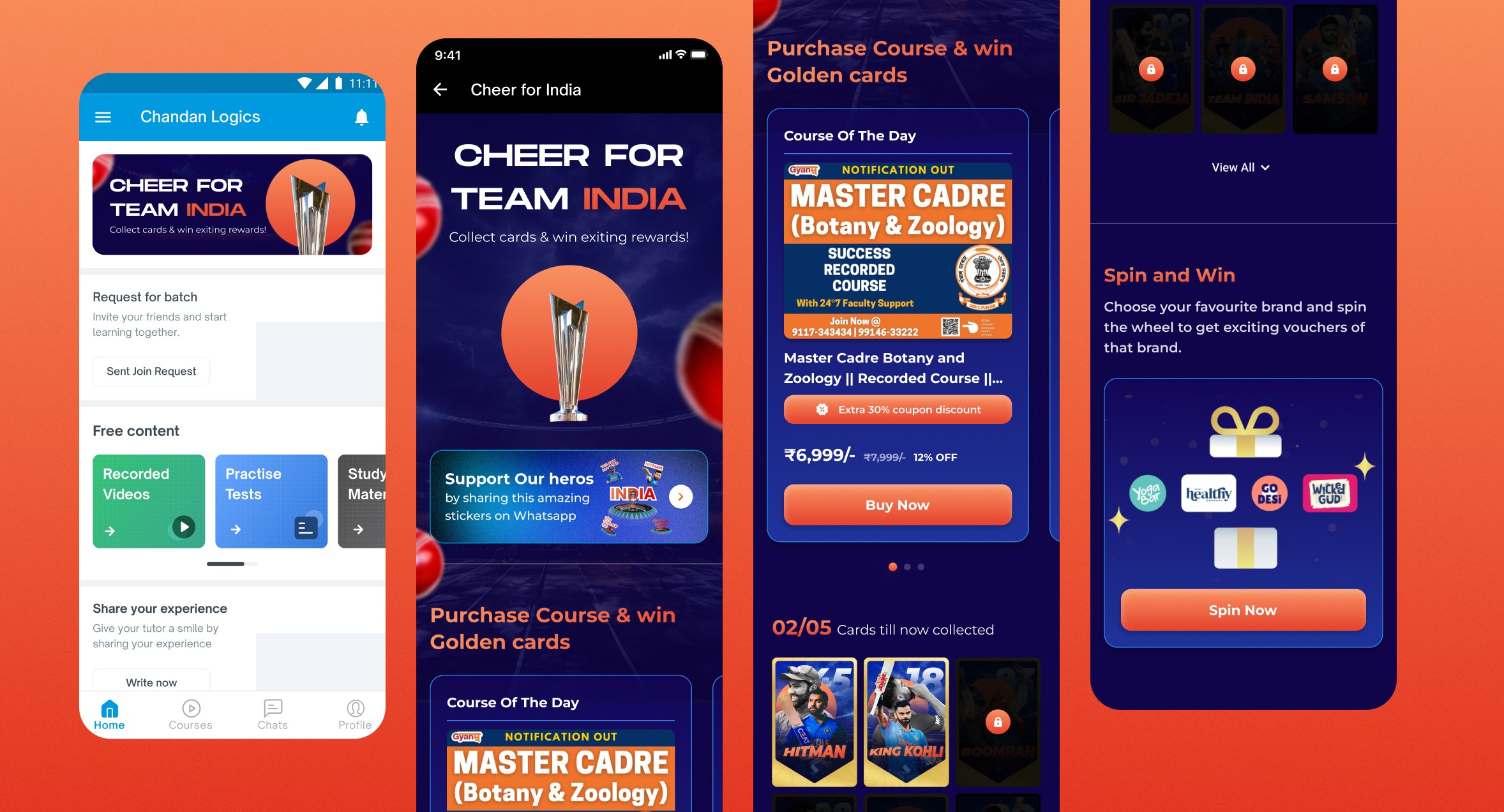
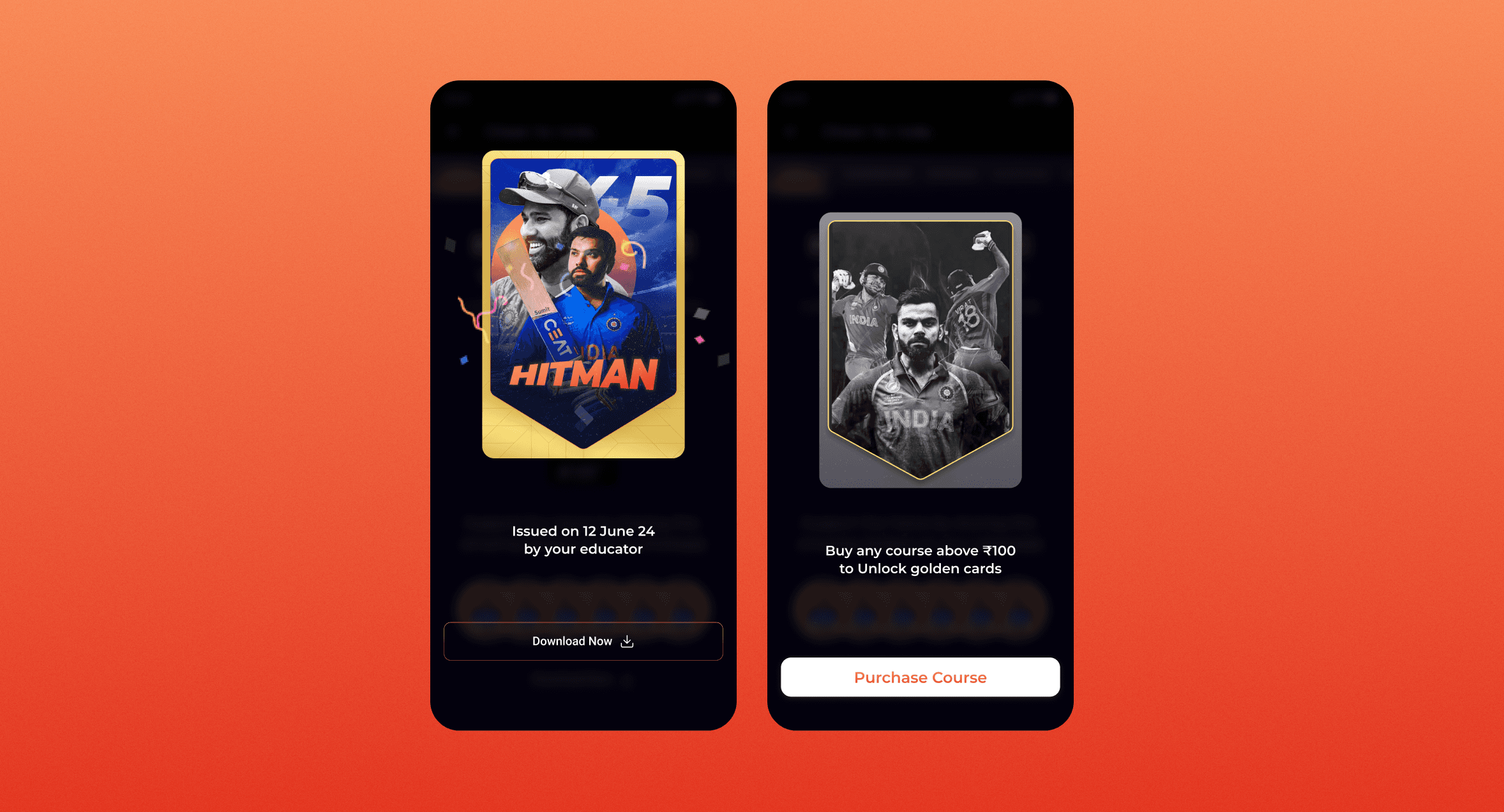
A high-tier reward category, the Golden Player Cards symbolize premium-level achievement within the campaign. These cards are designed with a luxurious gold aesthetic, emphasizing their exclusivity. Educators who achieve the highest milestones unlock these rewards, which hold greater value in the campaign’s gamification structure. The UI follows a card collection-style format, tapping into the nostalgia of cricket trading cards while aligning with the reward-driven nature of the campaign.
The Blue Player Cards act as a foundational tier in the reward hierarchy, ensuring every participant has a fair chance to earn valuable rewards. While less exclusive than their golden counterparts, these cards still hold significant value in the user journey, allowing educators to accumulate them based on their engagement. The design aesthetic maintains uniformity with the overall campaign, using a crisp, high-contrast layout with well-defined player imagery, ensuring each card feels collectible and aspirational.
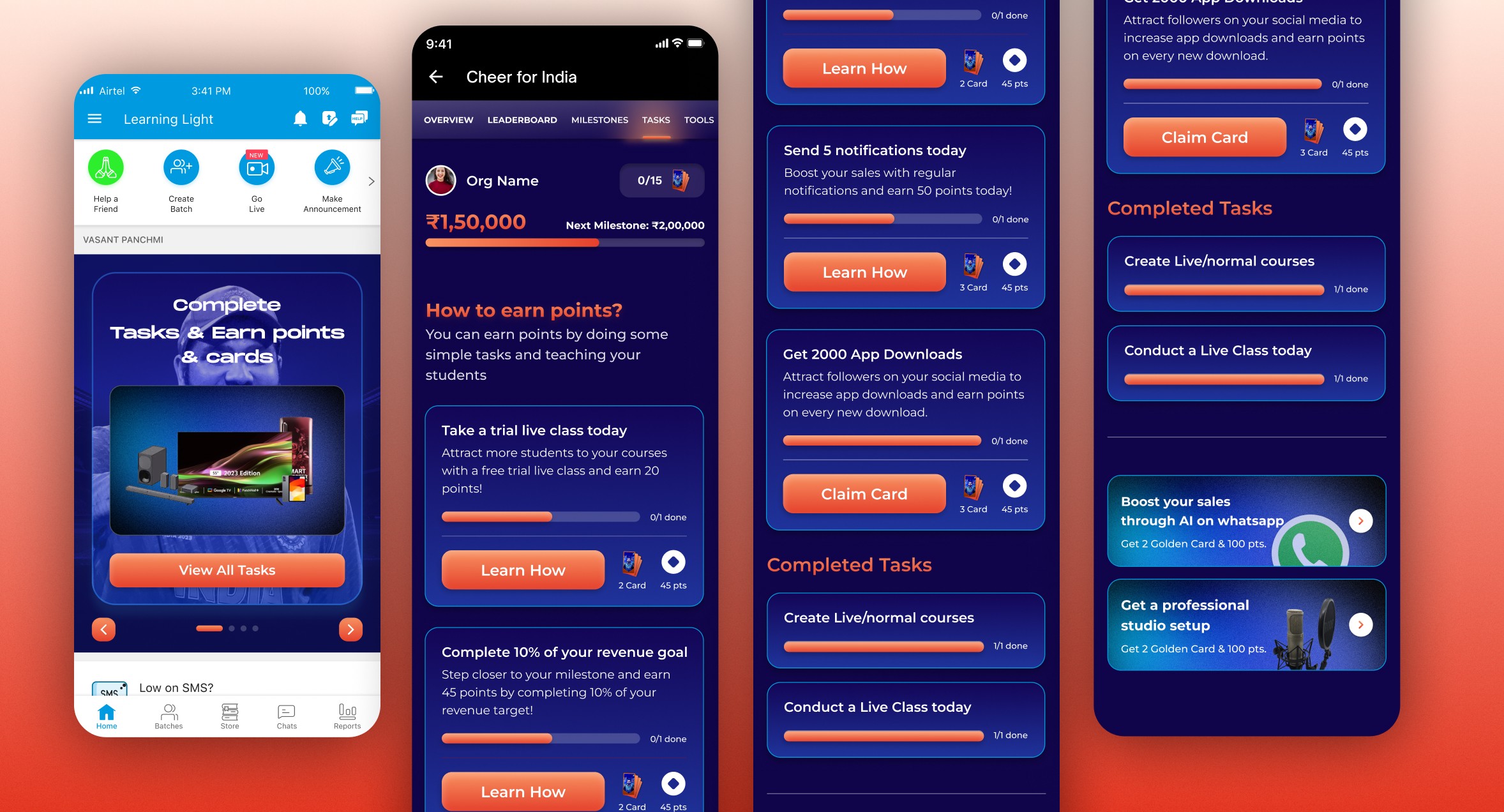
Task Screen
This screen is the entry point for the T20 World Cup campaign, where educators can see the total reward they stand to win by completing a series of tasks. A prominent banner highlights the campaign’s theme, and a “View All Tasks” call-to-action entices users to learn more about how to earn points and unlock special rewards. A bottom button allows them to slide or navigate through additional details, but the primary goal here is to immediately capture their attention and motivate them to explore the tasks ahead.
Task Overview page
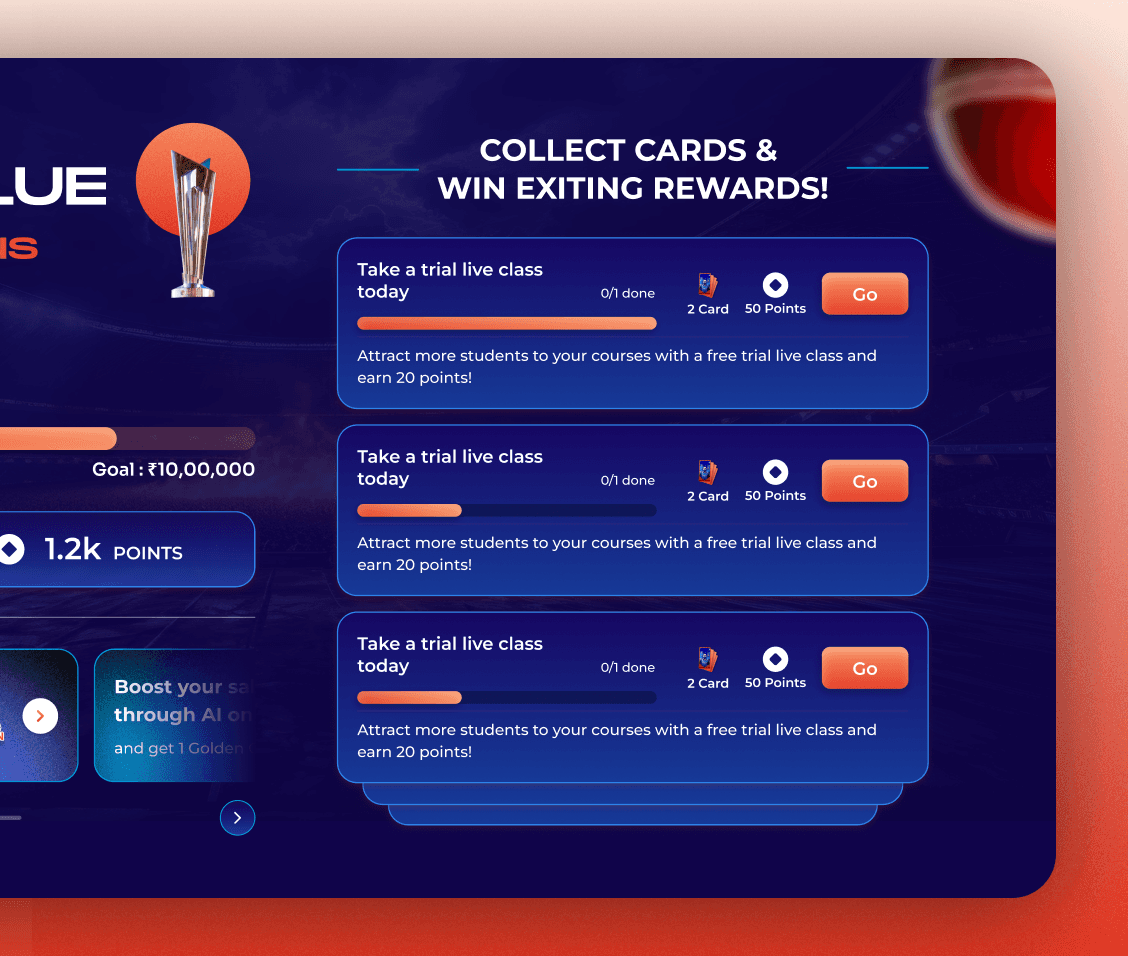
After tapping “View All Tasks,” educators arrive at the overview page, presented across three distinct screens. The first part (Screenshot 2) explains “How to earn points?” and displays tasks like taking a trial class or sending notifications, each with its own reward and a “Learn How” button for easy guidance. Scrolling further (Screenshot 3) reveals more tasks that can be claimed, including a mix of quick actions and slightly more involved challenges. Finally, the last section (Screenshot 4) lists completed tasks under a dedicated heading, giving educators a sense of achievement and clearly showing what remains to be done. Throughout these screens, the design uses a consistent T20-inspired color palette, ensuring a cohesive experience that keeps educators engaged and driven to complete each task for maximum rewards.
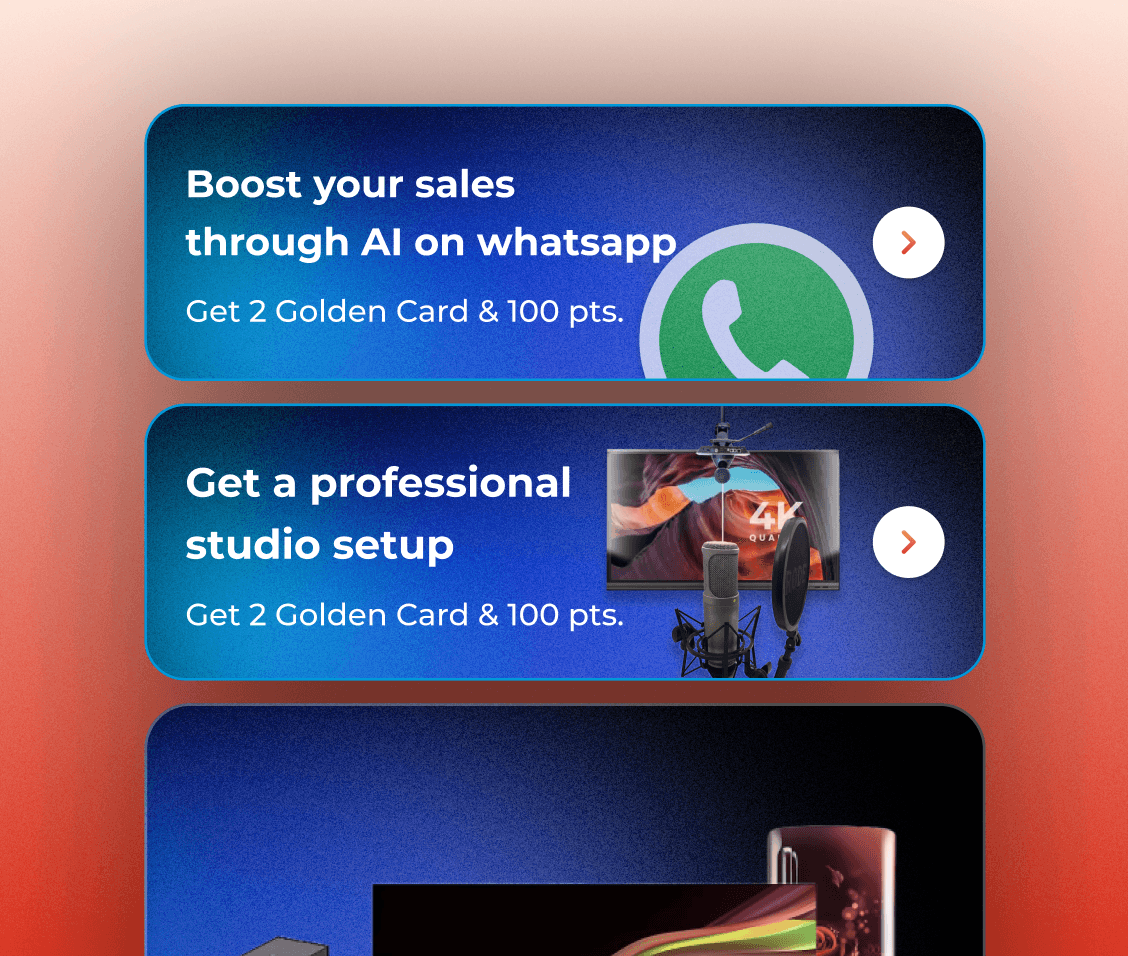
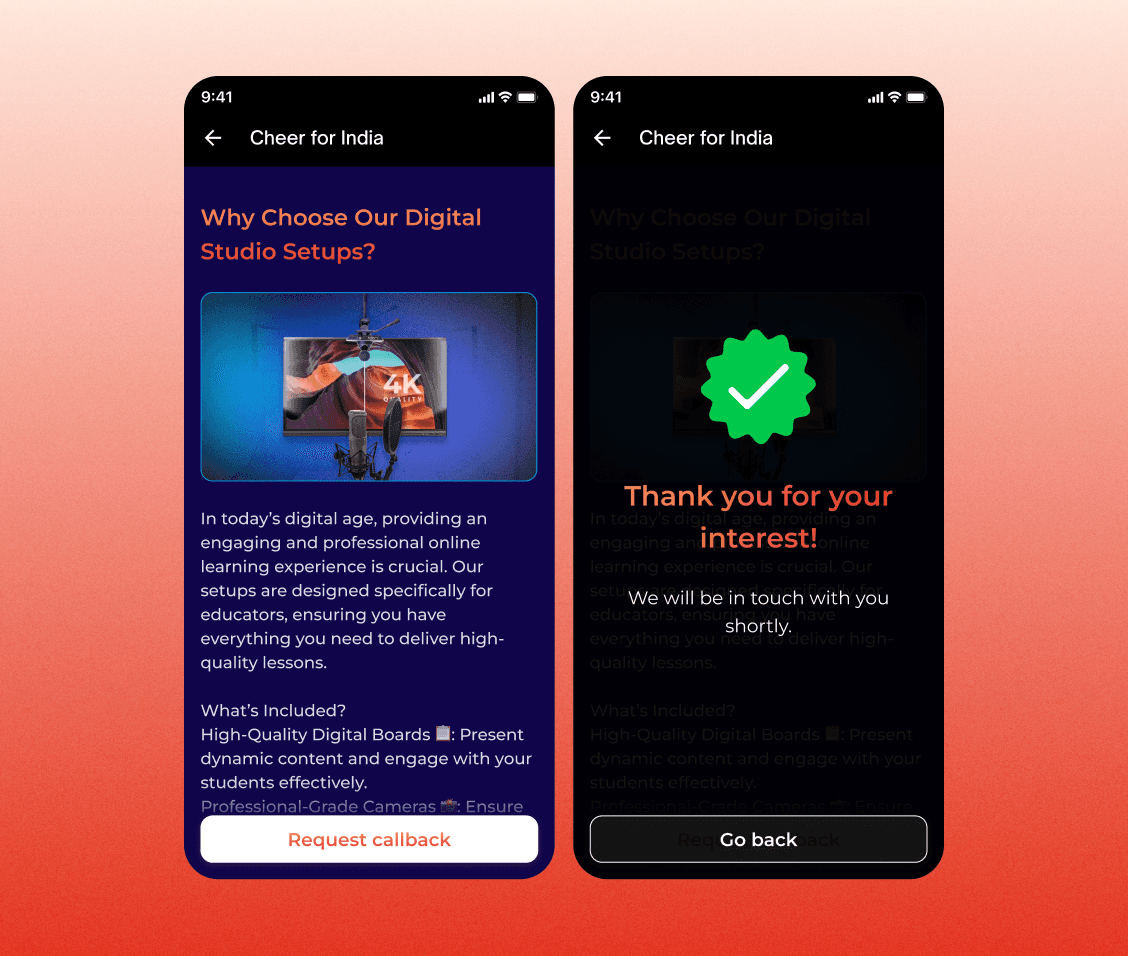
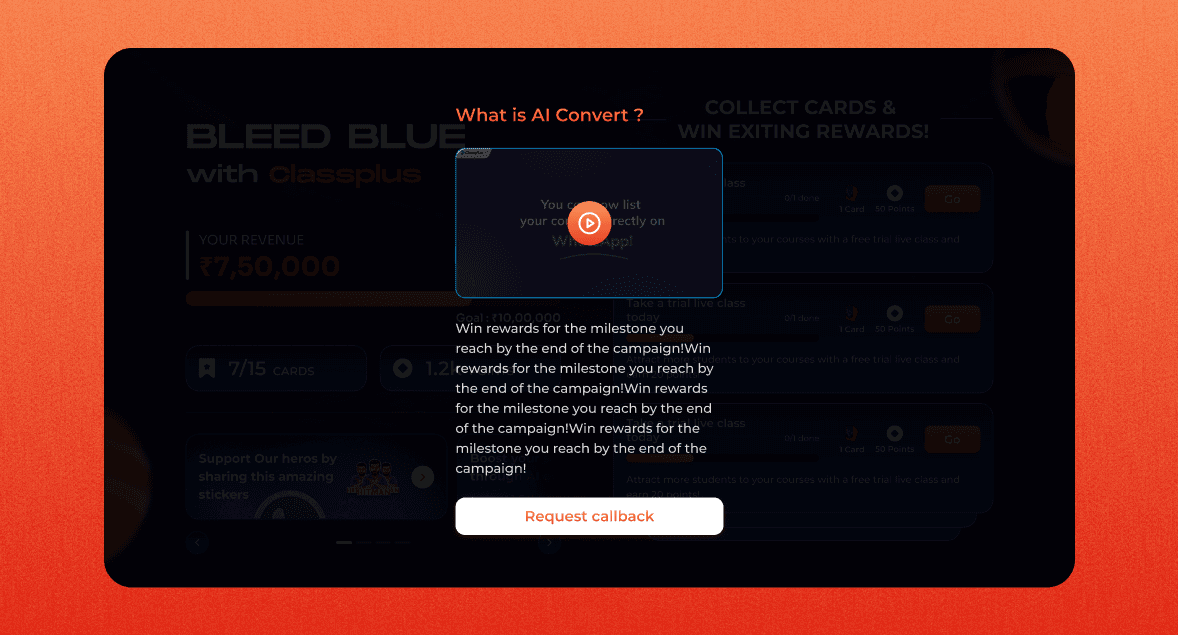
This screen spotlights advanced Classplus features that educators can unlock—like using AI on WhatsApp or setting up a professional studio—to earn extra Golden Cards and points. By pairing enticing rewards with useful tools, the campaign nudges educators to explore premium offerings, effectively generating leads for Classplus. The visuals reinforce a sense of continuous growth, showcasing benefits that align with the energetic T20 theme.
When an educator taps on a feature pitch banner—like “Boost your sales with AI on WhatsApp”—they’re shown a quick guide on how this tool can enhance their teaching and sales. After setup, they instantly earn the promised rewards (like golden cards), blending engagement and lead generation into one seamless flow.
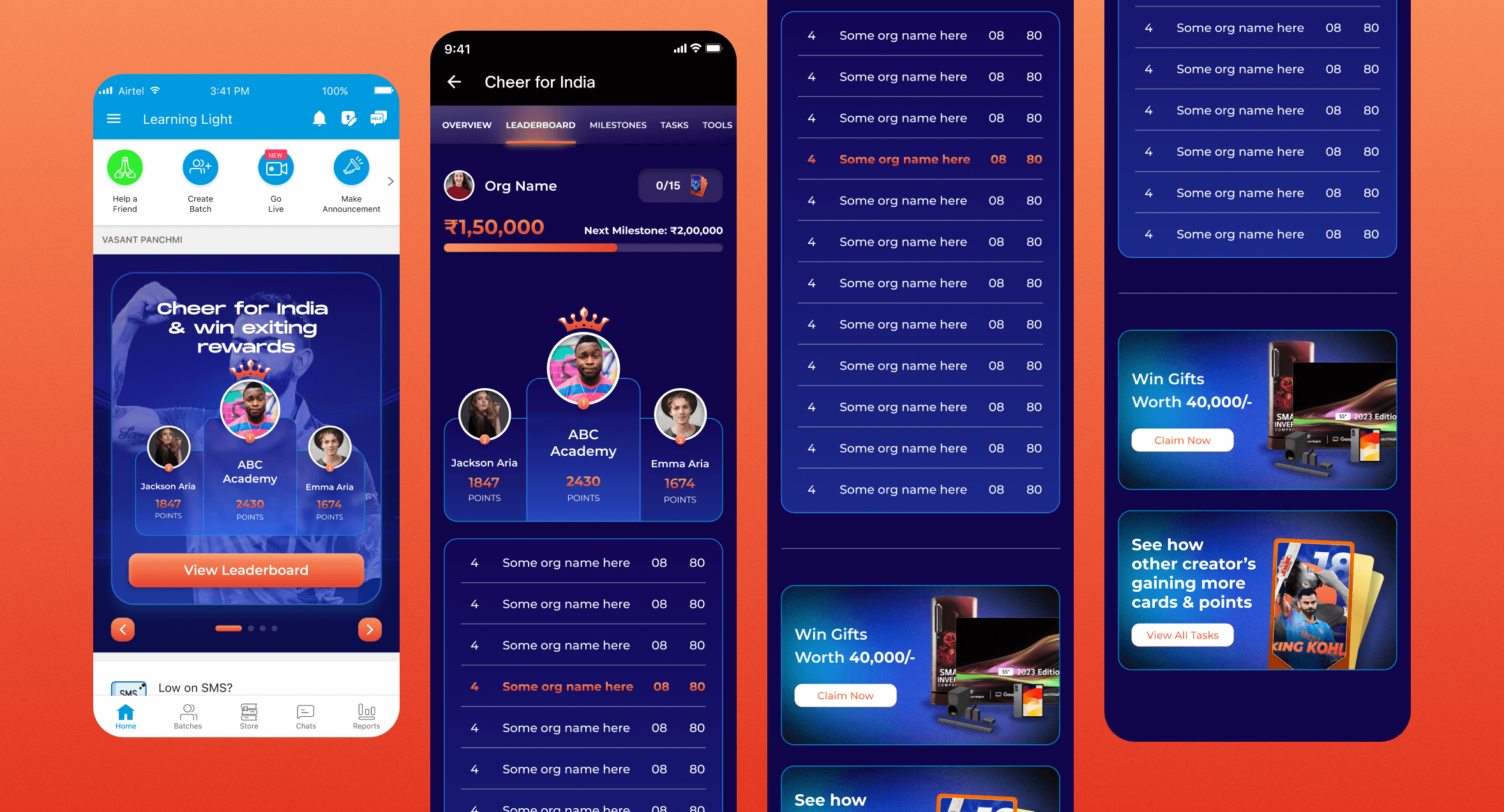
Leaderboard Screen
This view showcases the top educators in the T20 campaign, displaying each participant’s name, rank, and current milestone. A bold “Cheer for India” banner reinforces the cricket theme, motivating healthy competition as users aim to climb higher. The design leverages a bright color palette and clear typography, making it easy to compare standings at a glance.
Overview page
When Educator clicks on "View Leaderboard" CTA, This view showcases the Ranked educators in the T20 campaign, displaying each participant’s name, rank, and current milestone, Milestone created on hierarchy of Cards & Points System. Scrolling or tapping through reveals prize details—like “Win Gifts Worth 40,000!”—with straightforward “Claim Now” prompts. A list of organizations or participants is presented in a consistent card layout, highlighting each user’s progress and any remaining tasks. By keeping the visuals cohesive and the calls to action direct, the page drives continued engagement and encourages educators to stay active in the campaign.
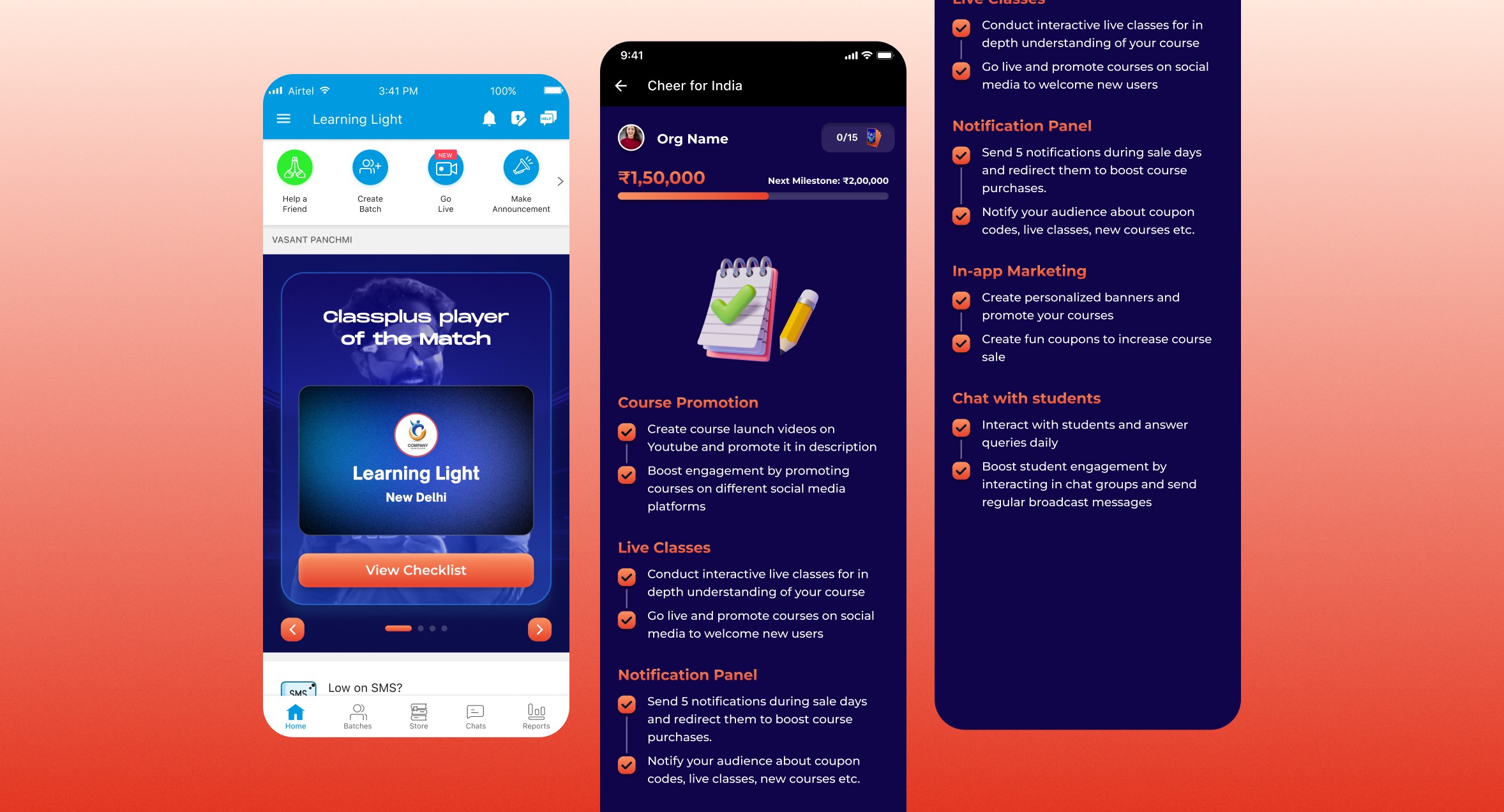
Tutor of the Day Screen
This view highlights the “Tutor of the Day” or “Classplus Player of the Match,” showcasing an educator’s name, location, and a clear call to action: “View Checklist.” It’s designed to celebrate standout tutors and drive them to explore further tasks or achievements.
Overview page
Tapping “View Checklist” leads to a detailed breakdown of available actions—such as course promotion, live classes, or in-app marketing—each contributing to the tutor’s next milestone. Clear headings and concise descriptions guide educators on how to boost engagement and revenue, reinforcing the campaign’s cricket-inspired theme while keeping focus on practical steps for success.
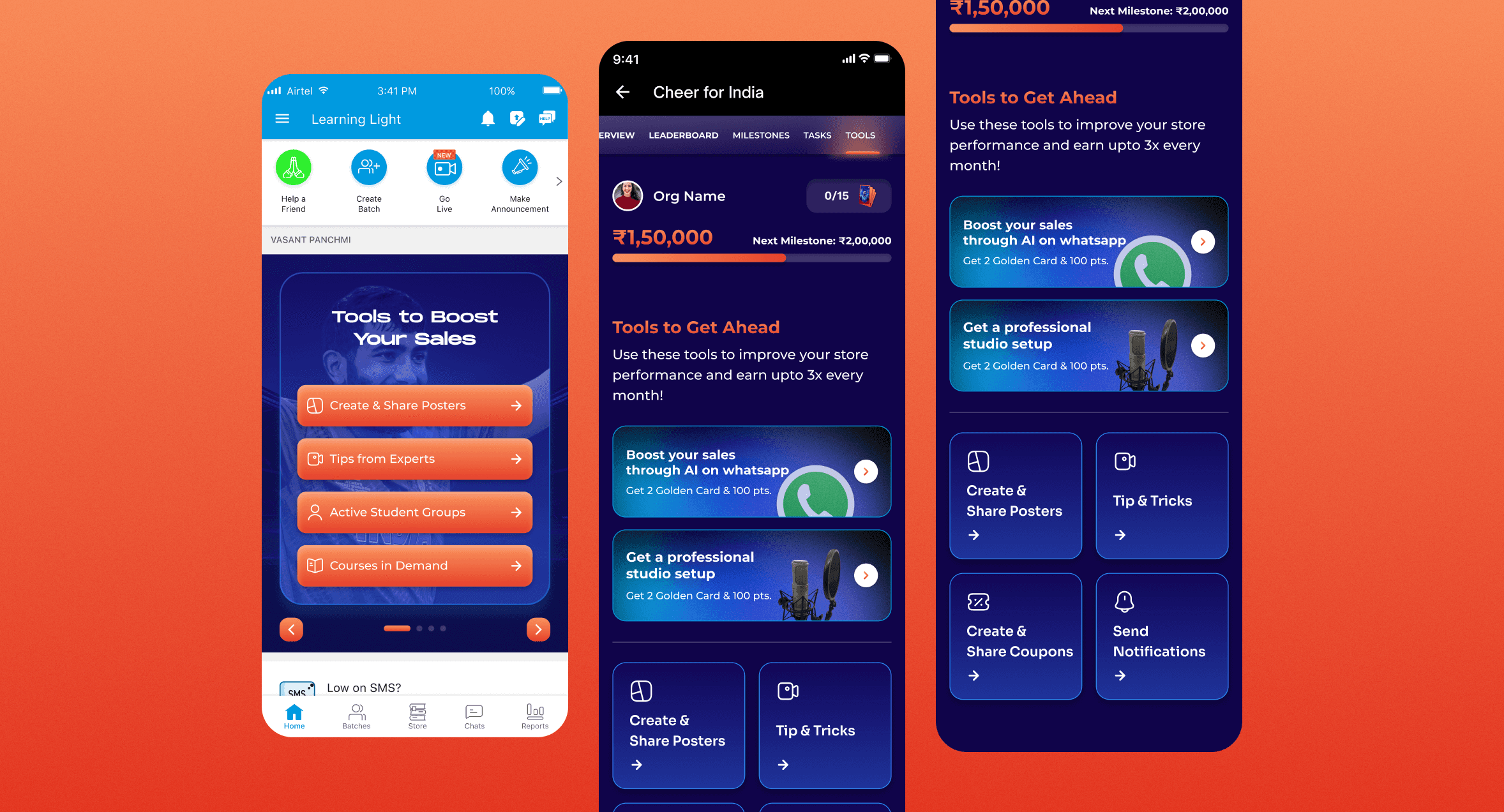
Tools to Boost Sales Screen
This feature empowers tutors to enhance their sales and student engagement effectively. Educators can now create marketing posters to boost their promotions, access expert tips to increase sales and interactions, and gain insights into their most active student groups. Additionally, they can track their top-performing courses, helping them make data-driven decisions for growth.
Overview page
Educators can access the Overview page via the navigation bar to track earnings, milestones, and performance. It provides key tools to boost sales, enhance engagement, and optimize their store, including AI-driven WhatsApp sales, studio setup, poster creation, and notifications. The Tools tab offers resources to maximize revenue and growth.
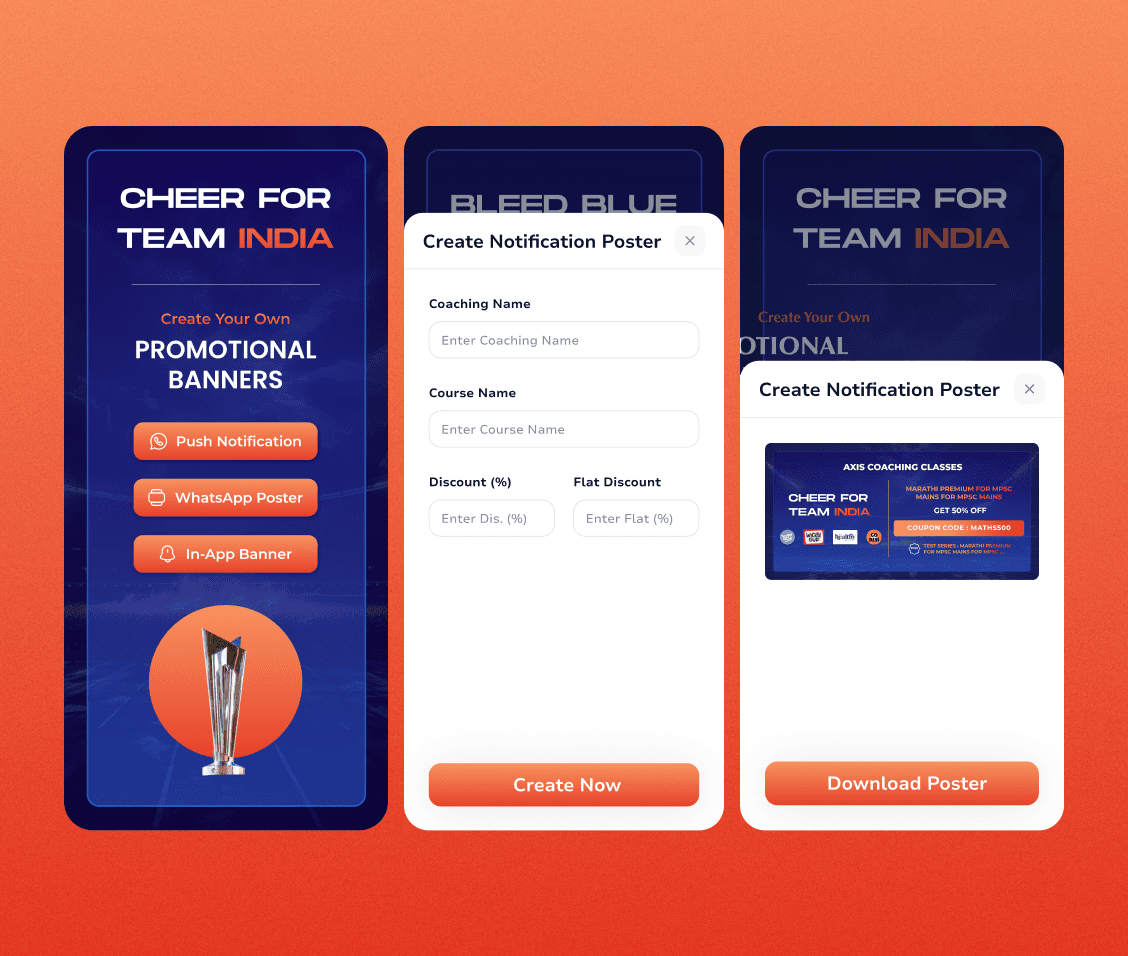
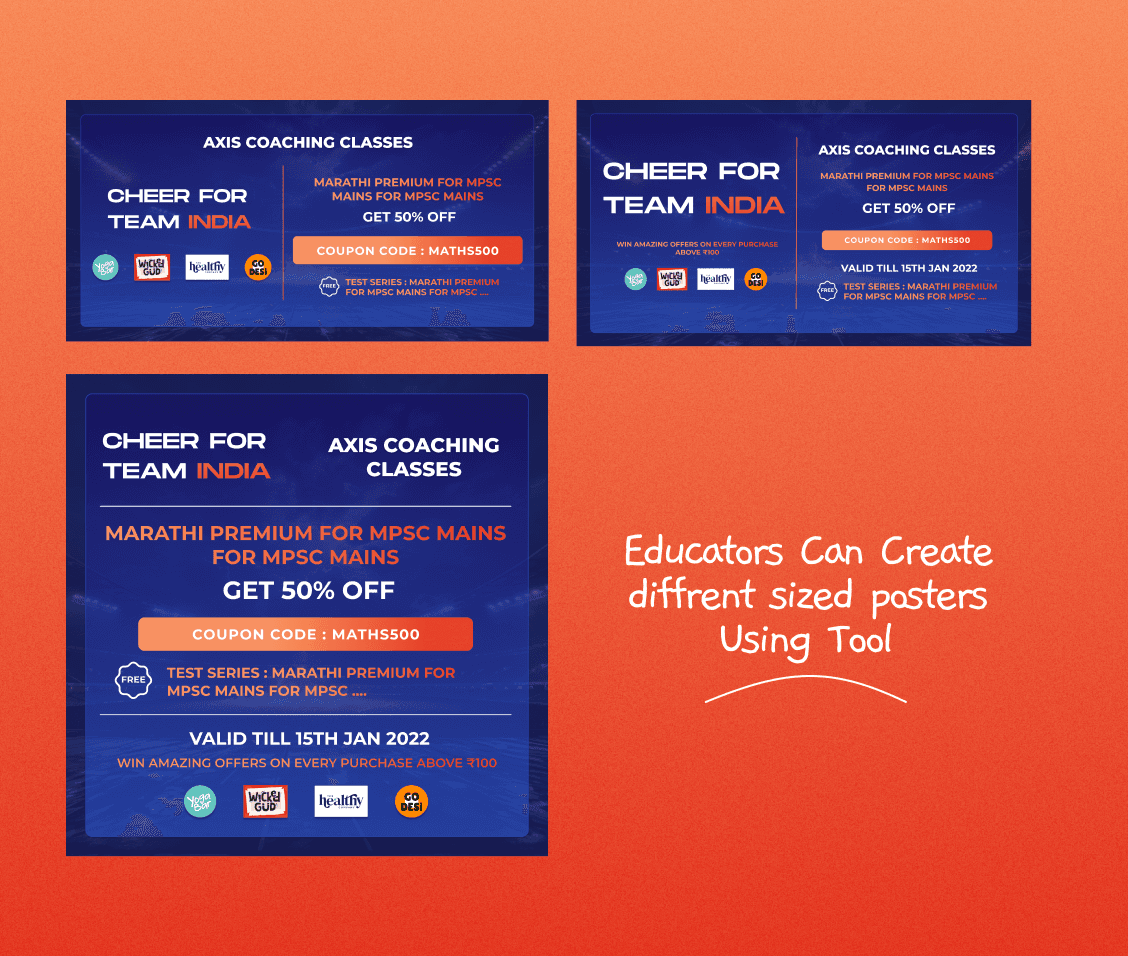
The Poster Creation Tool allows educators to design and share customized promotional posters by entering details like coaching name, course, and discounts. They can generate posters in multiple sizes and either download or share them directly via WhatsApp. The engaging visuals highlight student impact and encourage continuous growth.
4o
Educators can generate posters in multiple sizes using the Poster Creation Tool, ensuring adaptability for various platforms. The tool simplifies promotion by allowing customized designs that can be shared effortlessly to their students.